Online booking settings: slots, fields and widget features
Everything your client sees in the booking widget is switched on and off in one place: "Online booking → Settings". Changes apply immediately — no need to republish the link.
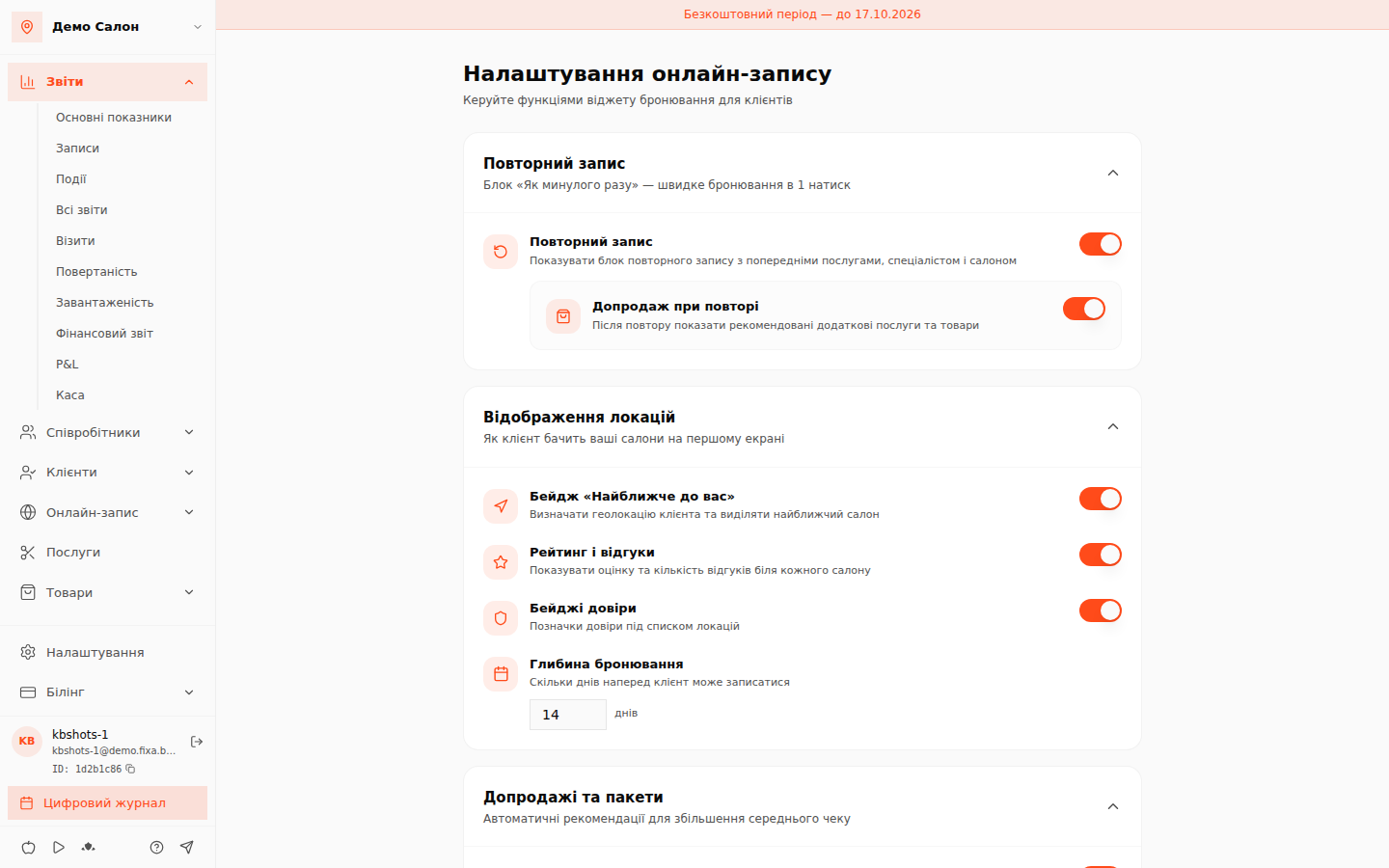
Main blocks
- Repeat booking — the "Like last time" block for returning clients and upsell on repeat. Details: Repeat booking and recommendations.
- Location display — the geolocation-based "Nearest to you" badge, ratings and reviews, trust badges and the booking depth — how many days ahead a client can book.
- Upsells and packages — the "Usually booked together" popup with recommended services and products. Package deals are marked "Demo" — the package builder is in development.
- Promo block — a banner with special offers at the top of the widget; offers are added right there via "Add offer".
- Specialists — the "Any specialist" mode (the system assigns a master automatically) and ratings display.
Time and slots
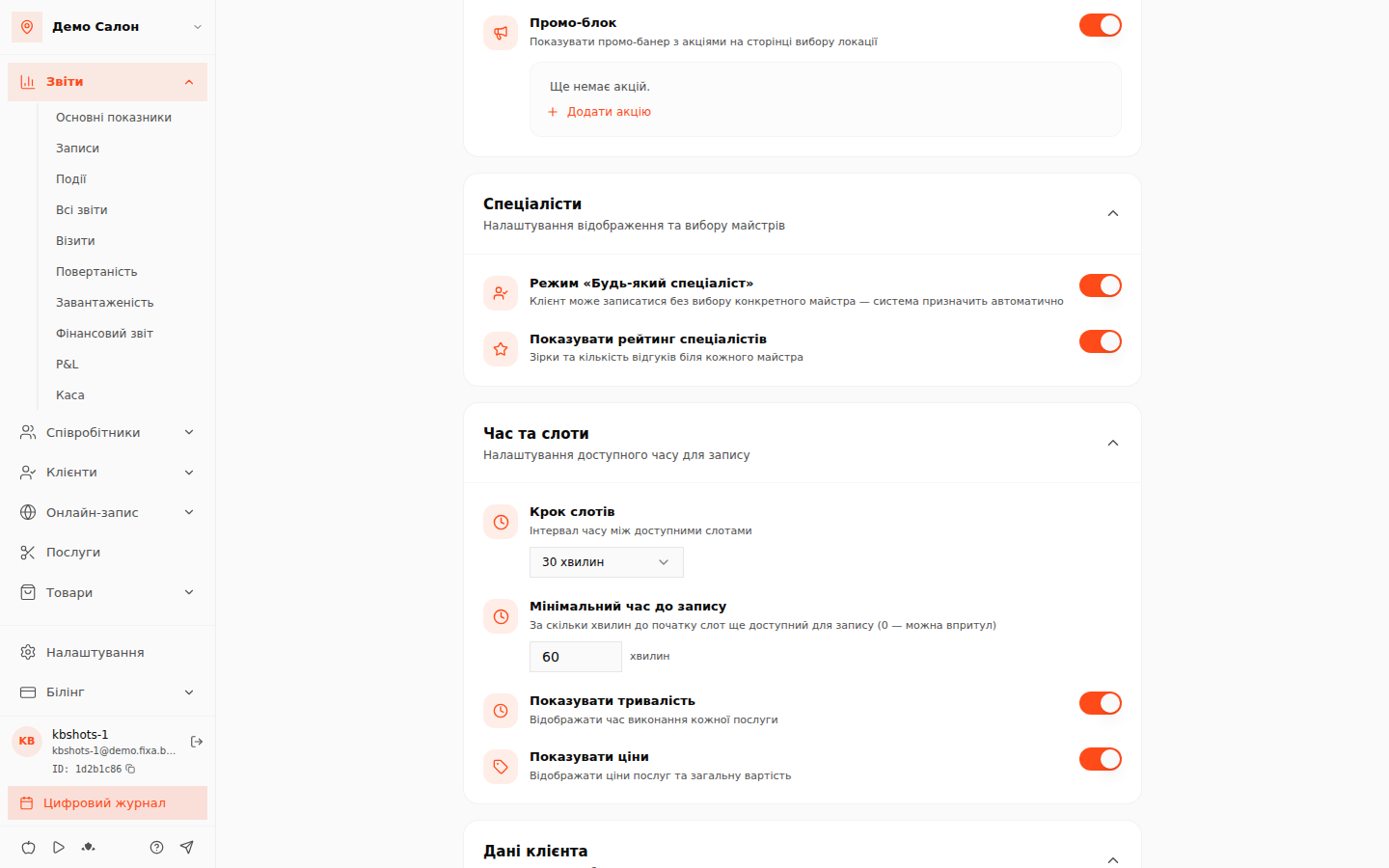
- Slot step — the interval between available times: 15 minutes, 30 minutes or 1 hour.
- Minimum lead time — how many minutes before start a slot is still bookable (0 — right up to the start).
- The "Show duration" and "Show prices" switches control the visibility of that data in the widget.
Client data and more
The "Client data" block offers the classic form (name + phone) and a "Comment" field. Google and Telegram sign-in are marked "Soon". Online payment and prepayment will arrive with the payment-system integration — until then they are honestly disabled. "Notifications" and "Cancellation and rescheduling" store your rules already.