Bills of materials: consumables and service cost price
A bill of materials (tech card) is the material usage norm for a specific service: how much dye, developer or other consumables one delivery of the service takes. When a visit with this service is completed, FIXA automatically writes the materials off your stock and calculates the cost price.
Step 1. Mark products as materials
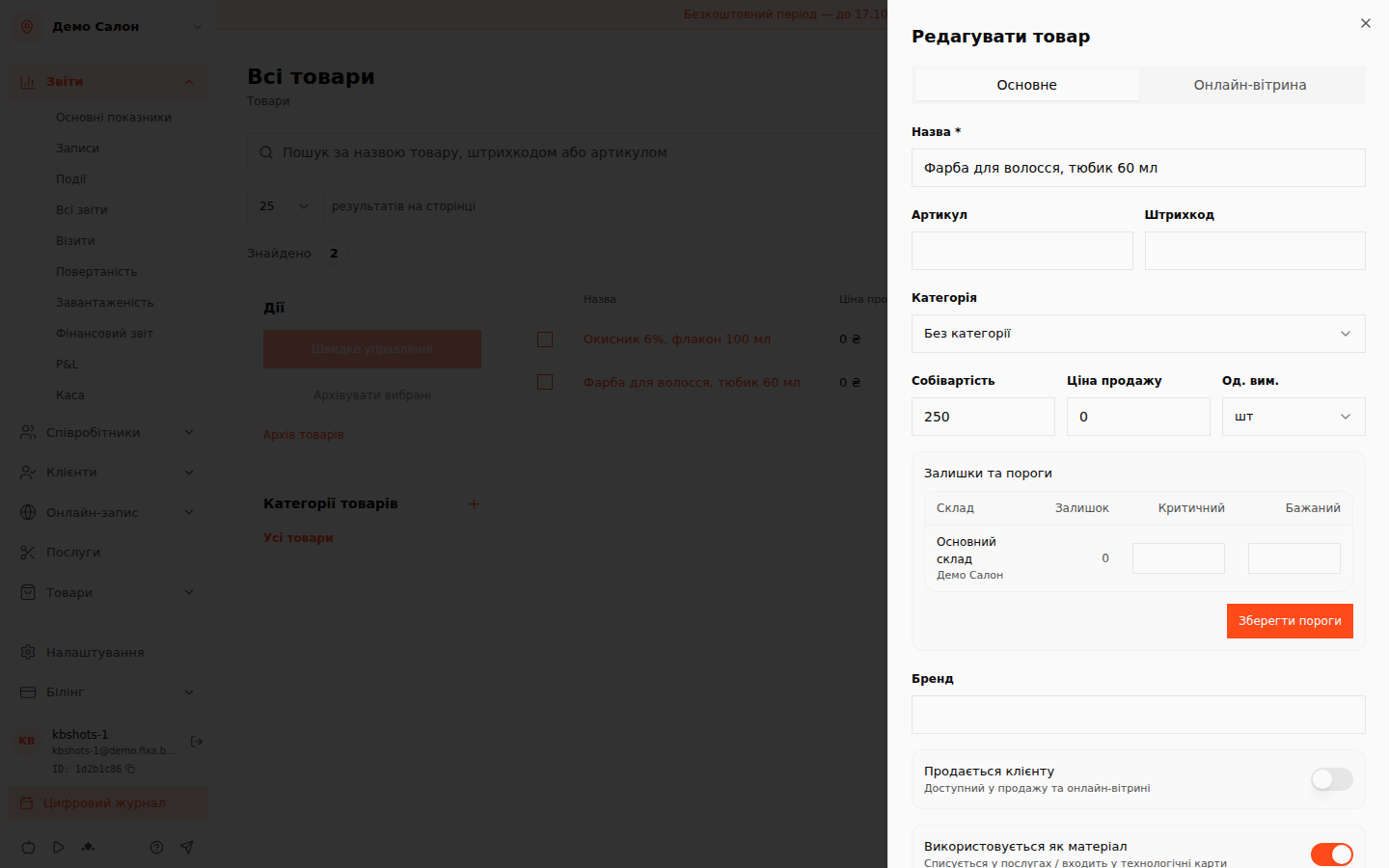
A tech card is built from products that have the «Використовується як матеріал» (Used as a material) switch turned on.
- Open «Товари» (Products) and pick the product (or create one via «Створити товар» — Create product).
- In the product card turn on the «Використовується як матеріал» (Used as a material) switch — such a product is consumed by services and can be part of tech cards.
- If it is a pure consumable (not sold to clients off the shelf), you can turn off the «Продається клієнту» (Sold to client) switch.
- Fill in the product cost price — FIXA uses it to calculate the service cost price.
Step 2. Create a tech card
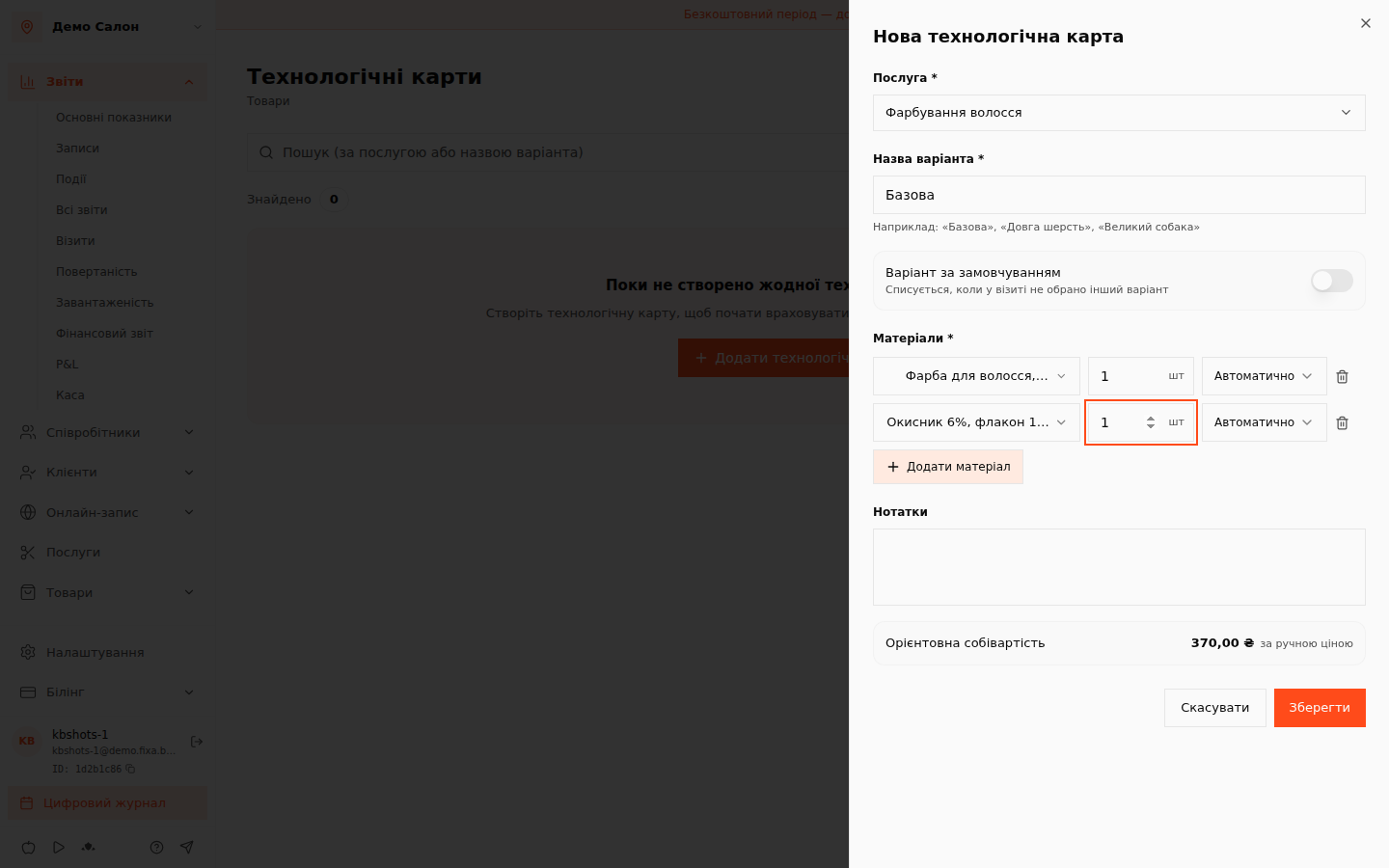
- Open «Товари» → «Технологічні карти» (Products → Tech cards) and click «Додати технологічну карту» (Add tech card).
- Choose the service you are describing the usage norm for.
- Give the variant a name — for example "Базова" (Basic). One service can have several card variants: "Long hair", "Short hair" and so on.
- Add materials: pick a product from the list and set the norm — the quantity consumed per one delivery of the service. Add as many lines as you need with «Додати матеріал» (Add material).
- At the bottom FIXA immediately shows the estimated cost price — the sum of all materials' cost prices by their norms.
- Click «Зберегти» (Save).
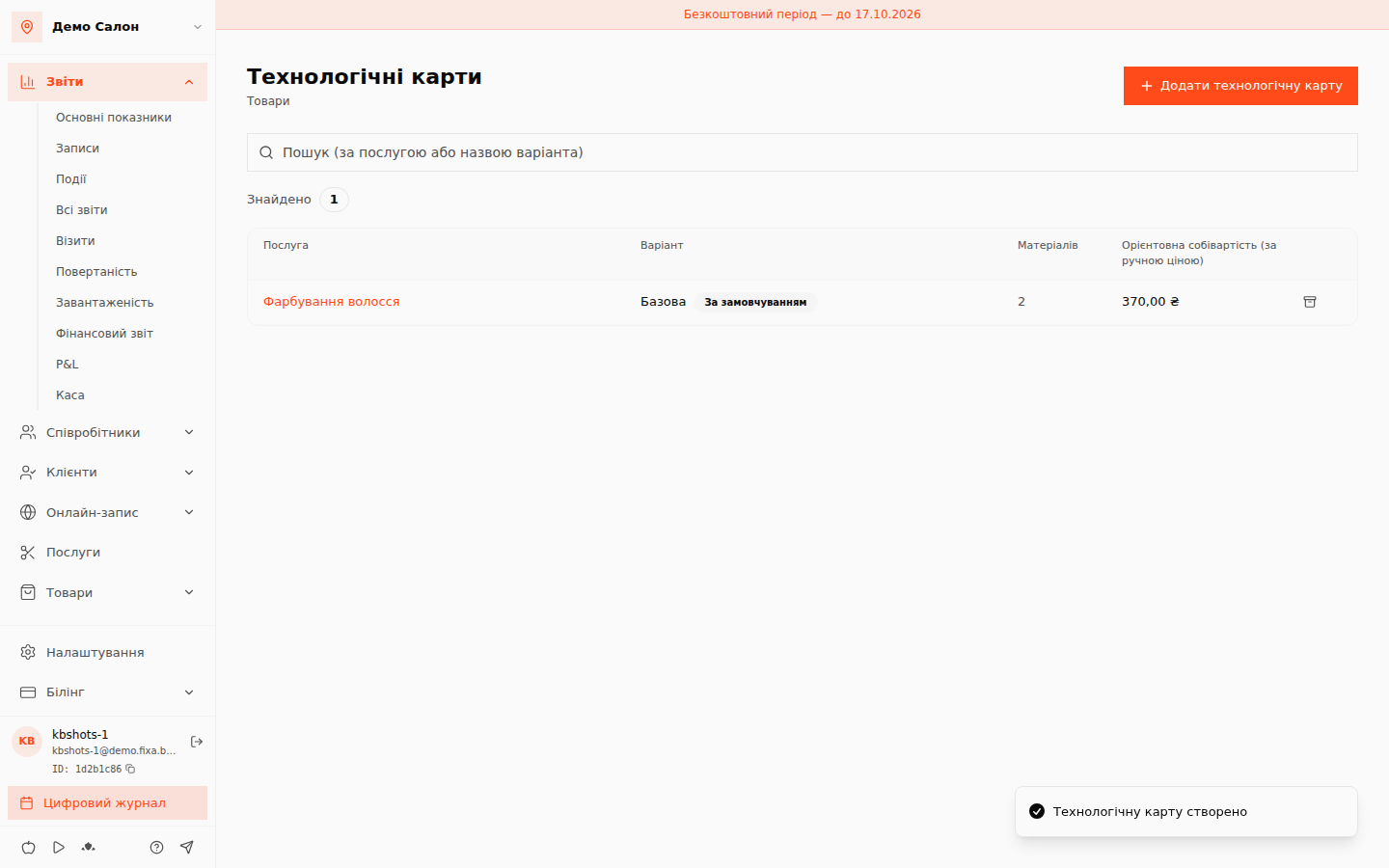
The first saved card of a service automatically becomes the default variant — it is the one written off when no other variant is chosen in the visit.
How write-off works
- When a visit with the service is completed, materials from the default card are written off stock automatically.
- If a particular visit consumed different amounts, adjust the materials right in the appointment panel — before the visit is completed.
- Write-off movements are visible in the stock operations journal, so stock levels always match reality.
Tips
- Keep product cost prices up to date — then service cost prices and reports stay honest.
- For services with substantially different consumption create separate card variants instead of one "average" norm.