Client database and client card
FIXA builds your client database automatically: as soon as you create an appointment with a phone number, or a client books online, their profile with history appears in the database.
Client list
Open "Clients" → "Client database". The list shows every active client of the salon: name, contacts and tags. The counter at the top shows the total.
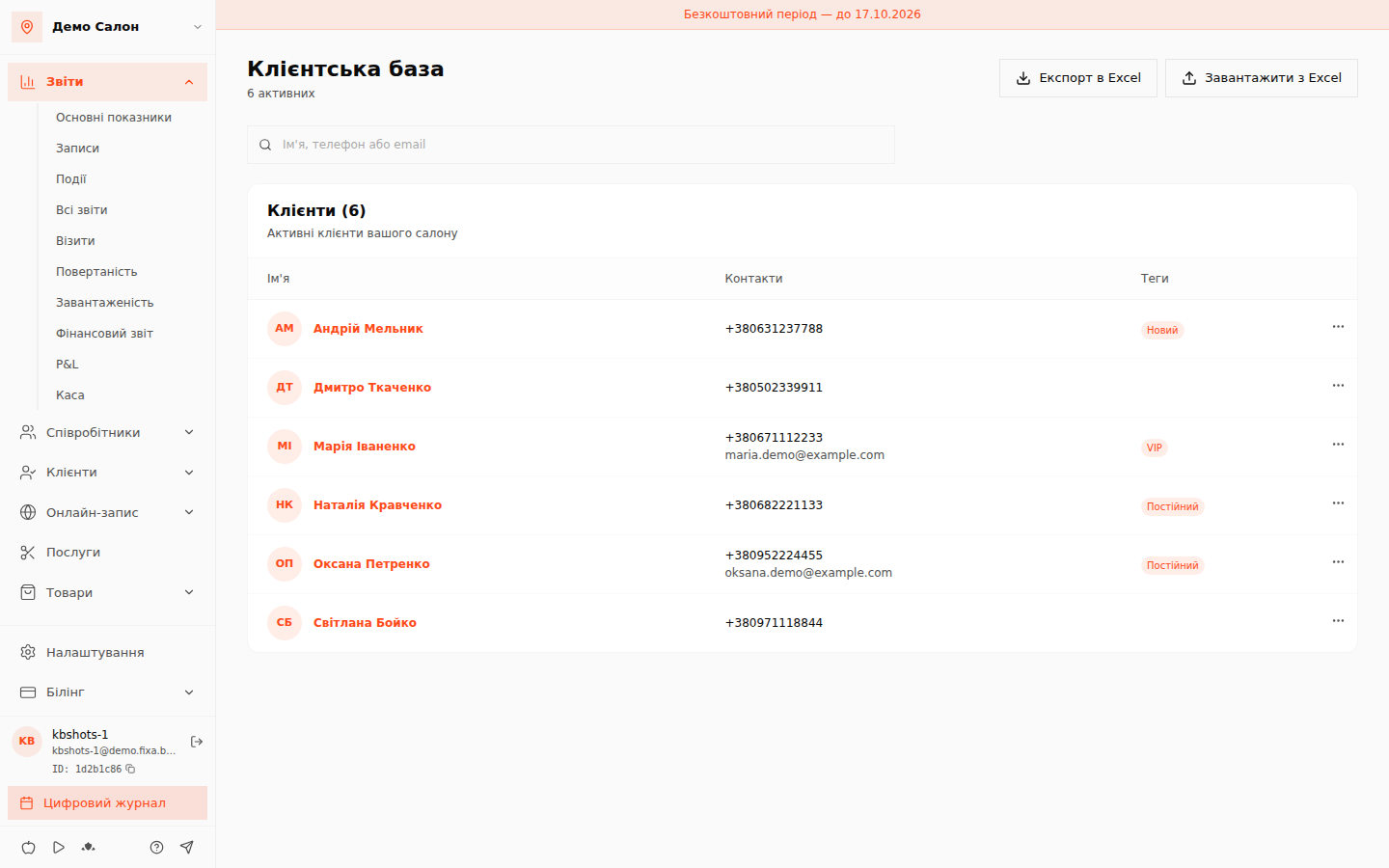
Search works by name, phone or email — start typing and the list narrows instantly.
The "Export to Excel" button downloads the current list (search applied) as a CSV file — handy for mailings or a backup. The "Upload from Excel" button opens the import wizard — see the separate article: Importing clients from Excel.
Client card
Click a client row to open their card.
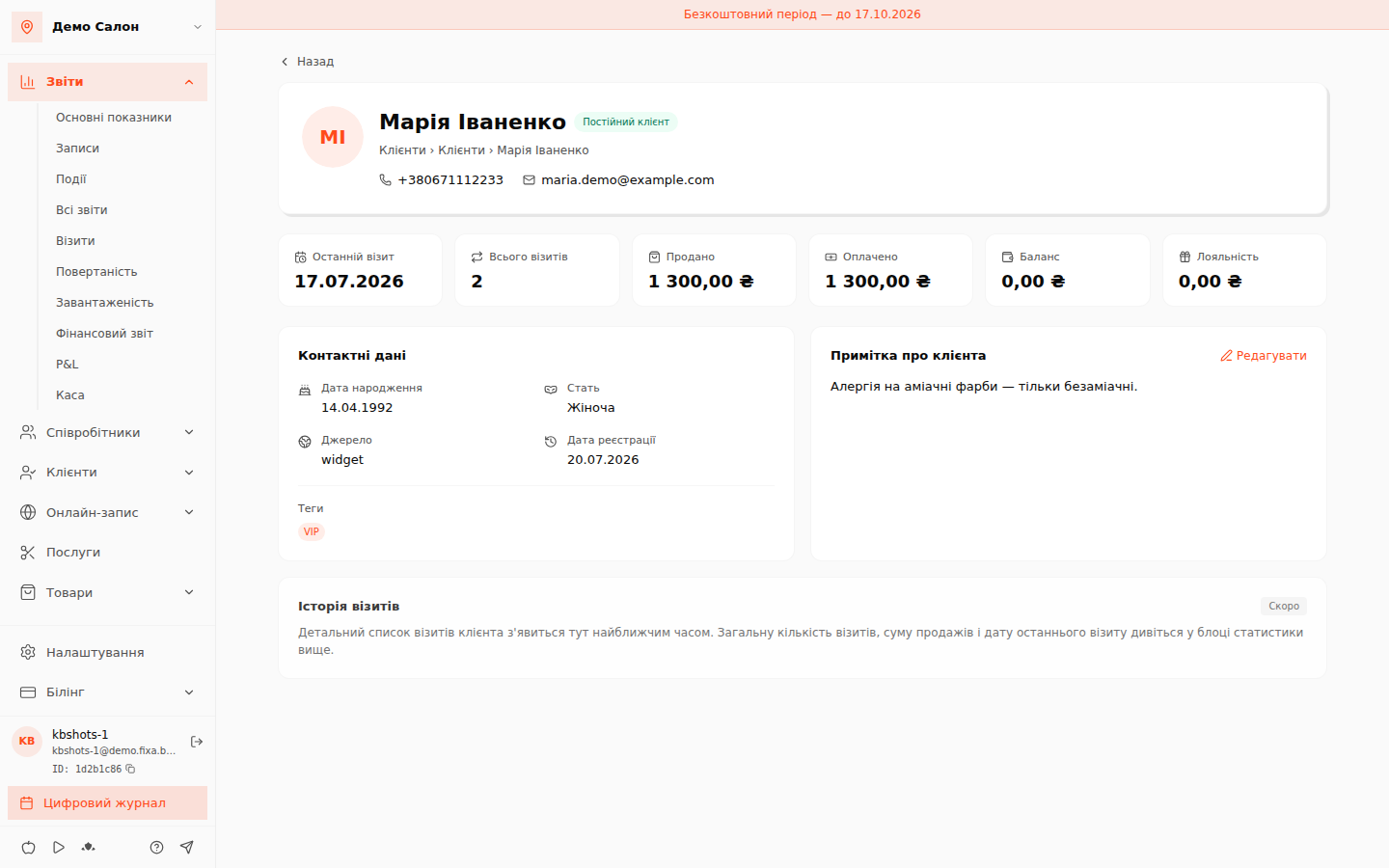
The header shows the name, the segment ("New client" or "Regular client" — assigned automatically by visit count) and contacts. Below are the statistics tiles:
- Last visit and Total visits — counted from completed visits;
- Sold — the value of all services provided and products sold;
- Paid — money actually received from the client;
- Balance — the client''s personal account (advances and deposits);
- Loyalty — accumulated cashback.
The "Contact details" block shows date of birth, gender, source (where the client came from: online booking, admin, phone) and registration date, plus the client''s tags.
Client note
The card has a "Client note" block — click "Add" or "Edit" and save what matters: allergies, preferences, favourite coffee.
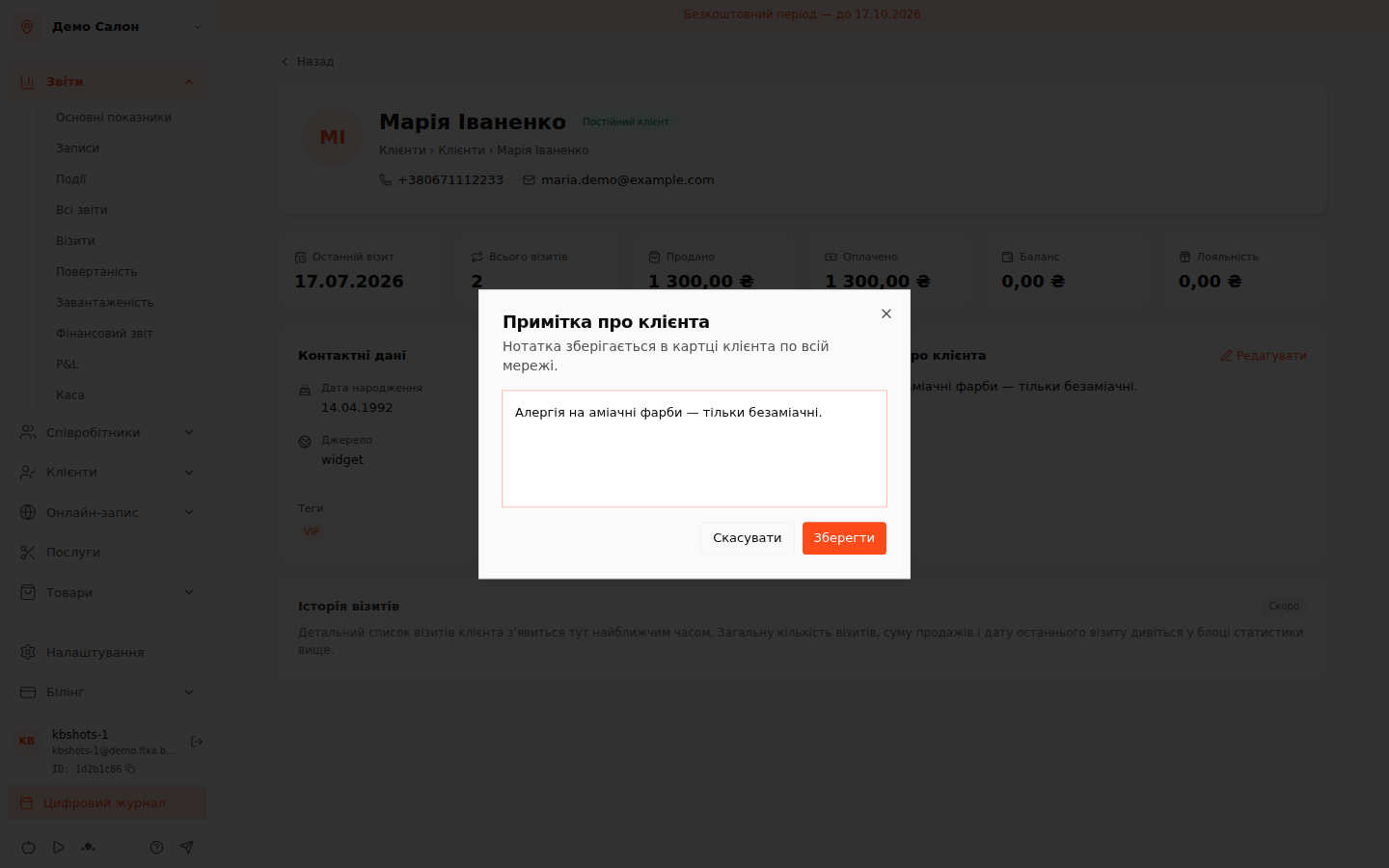
Notes are visible to salon staff only — the client never sees them.
What''s next
The detailed visit list in the card is marked "Soon" — it is in development; the aggregate numbers (visit count, totals, last visit) are already live in the statistics block. Client personal data is protected: only staff with the right permissions can access the database.