Link editor: booking format, design and statistics
Every booking link has its own settings: open "Online booking → Booking links" and click "Configure" next to the one you need. All changes appear in the widget automatically.
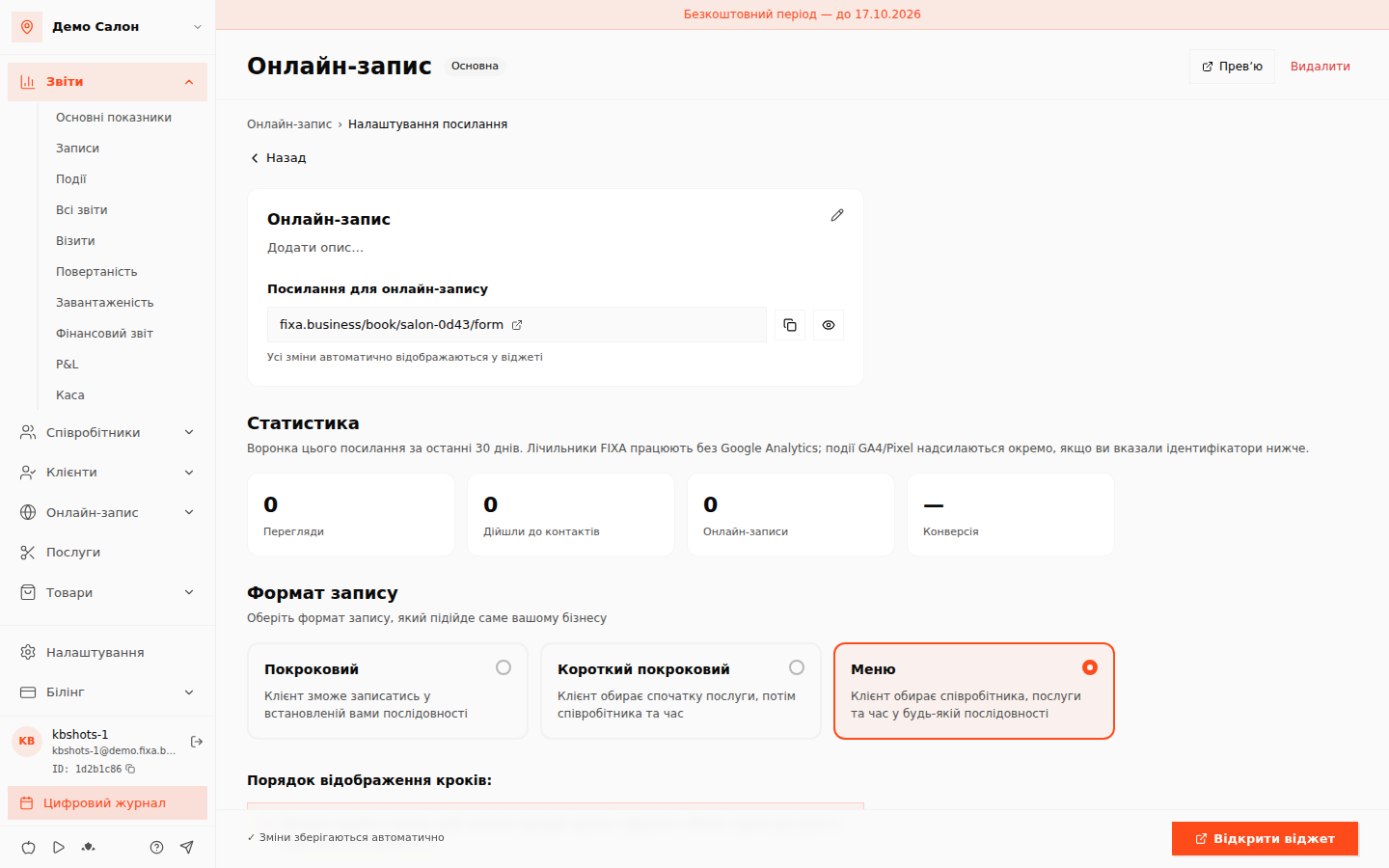
Statistics
At the top — this link's funnel for the last 30 days: Views → Reached contacts → Online bookings → Conversion. FIXA's counters work on their own, no Google Analytics required. If you add a Facebook Pixel or Google Analytics (Measurement ID) at the bottom of the page, events are sent there too.
Booking format
- Step by step — the client follows the steps in the order you set;
- Short step-by-step — services first, then specialist and time;
- Menu — the client picks the master, services and time in any order.
Reorder the steps with the arrows. Service categories can be shown horizontally (tags) or vertically (a collapsible list).
Design
Widget theme (light/dark), button and icon colour, and the first-screen image (recommended 16:9, up to 5 MB).
What else
- Membership and gift-card sales — marked "Demo", coming later.
- "Embed on your site" — ready-made widget code for your website: separate article.
- The "Preview" and "Delete" buttons live in the editor header; a link is made primary from the links list.