Resources in an appointment: rooms and equipment
A resource is a room, chair or piece of equipment that a location has in limited supply. Every resource has instances (Room #1 → #1, #2), and two clients can never occupy the same instance at the same time.
Automatic booking
The "service ↔ resource" link is set in the service card (the "Resources (rooms, equipment)" field). Everything else is automatic: when an appointment is created, the system books a free instance of every required resource.
Booked resources are visible in the appointment — the "Resources" block:
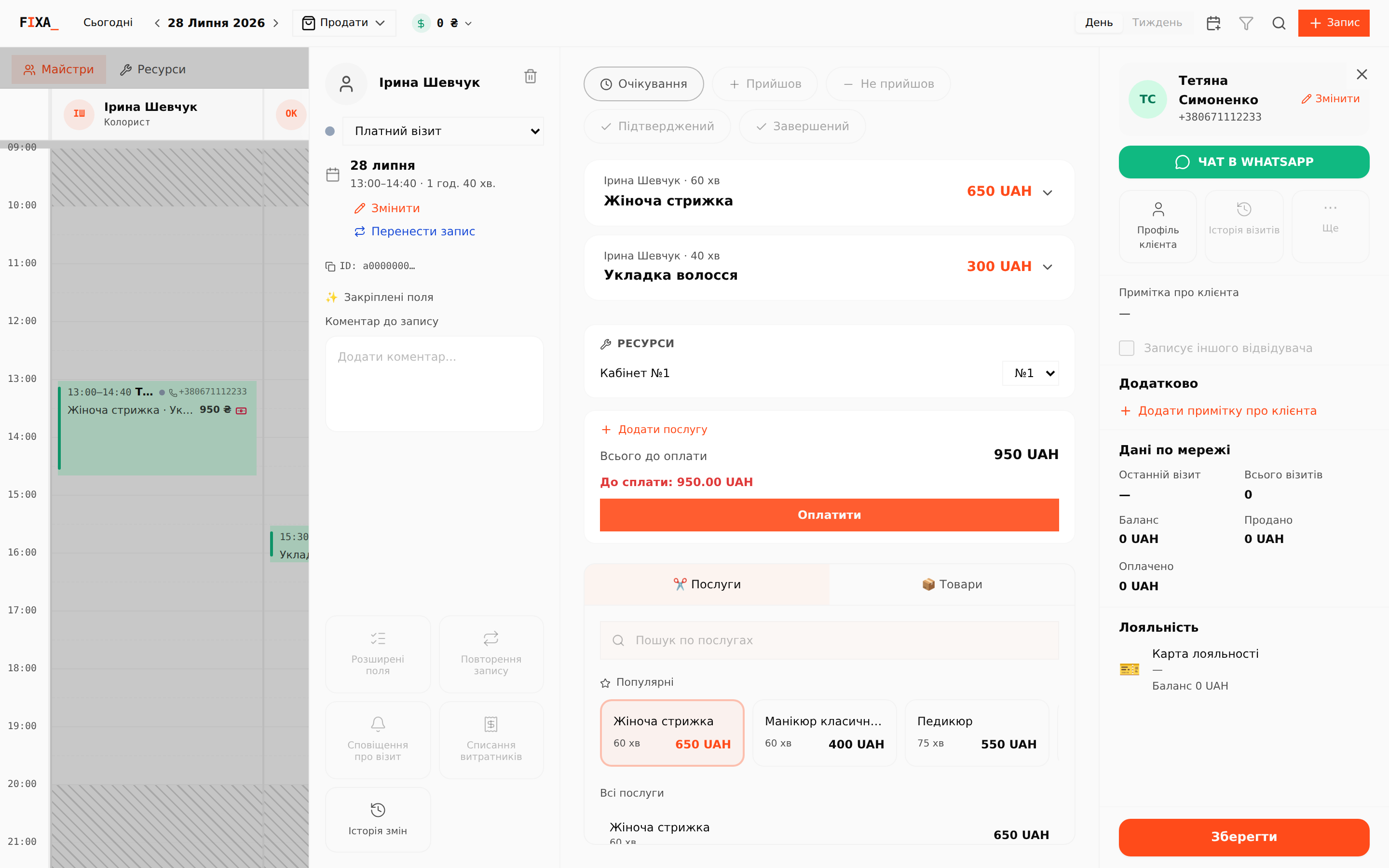
You can switch the instance manually — pick another number in the dropdown (for example, to move the client to another room).
The "Resources" calendar view
The "Masters / Resources" switch above the calendar changes the columns: resource instances instead of masters. Appointments without a booking gather in the "No resource" column:
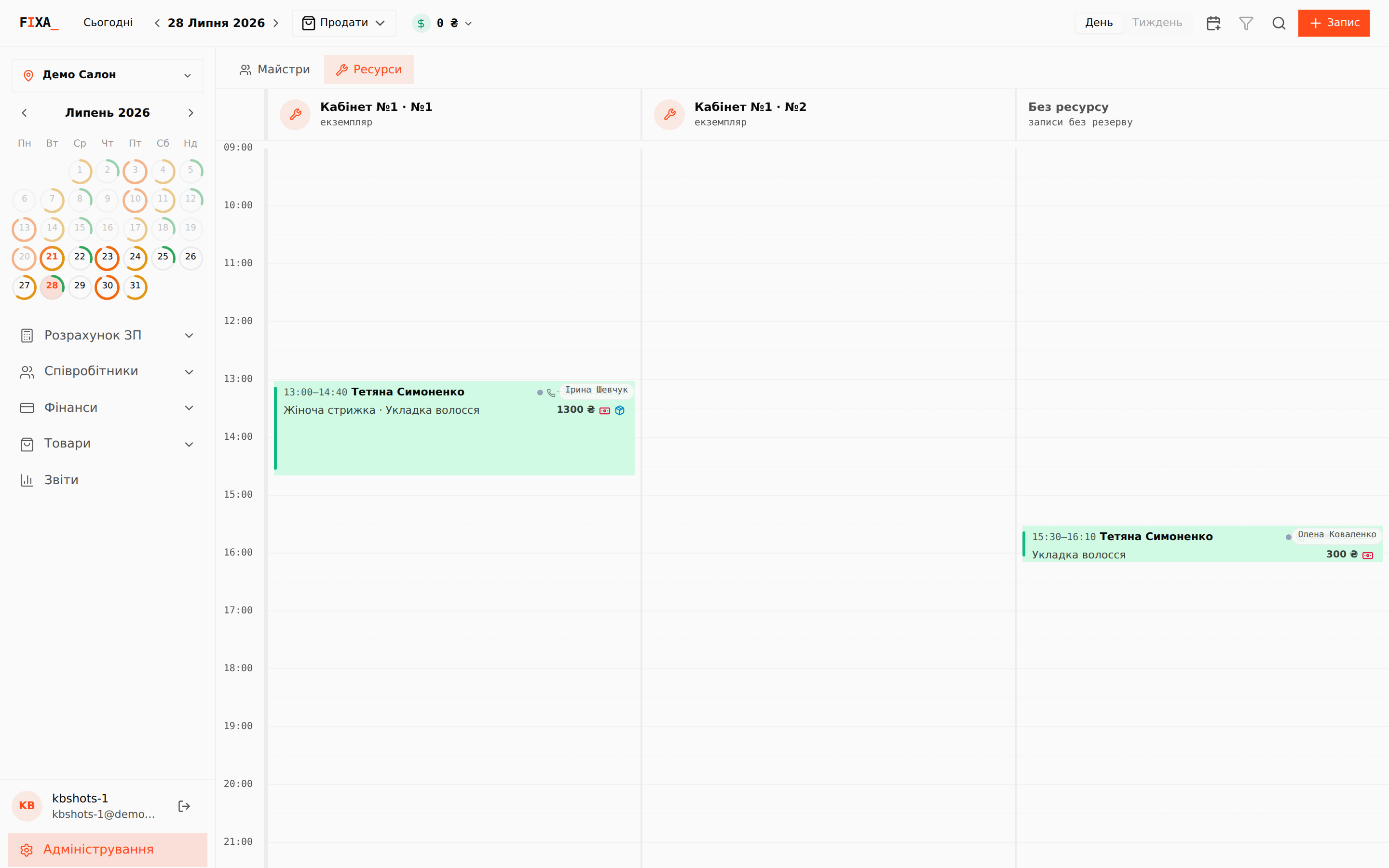
💡 This view is handy for a room-based business: you instantly see each room's load and free windows — double booking is impossible.
Where it is configured
The "Resources" section in administration: create a resource, add instances. Online booking also counts free slots with resource availability in mind — a client cannot book a time when all rooms are busy.