Service blocks: lunches, breaks and technical windows
A lunch, a training session, cleaning or a personal break is a service block: an entry without a client or payment that occupies time in the master's schedule and closes it for online booking.
How to create one
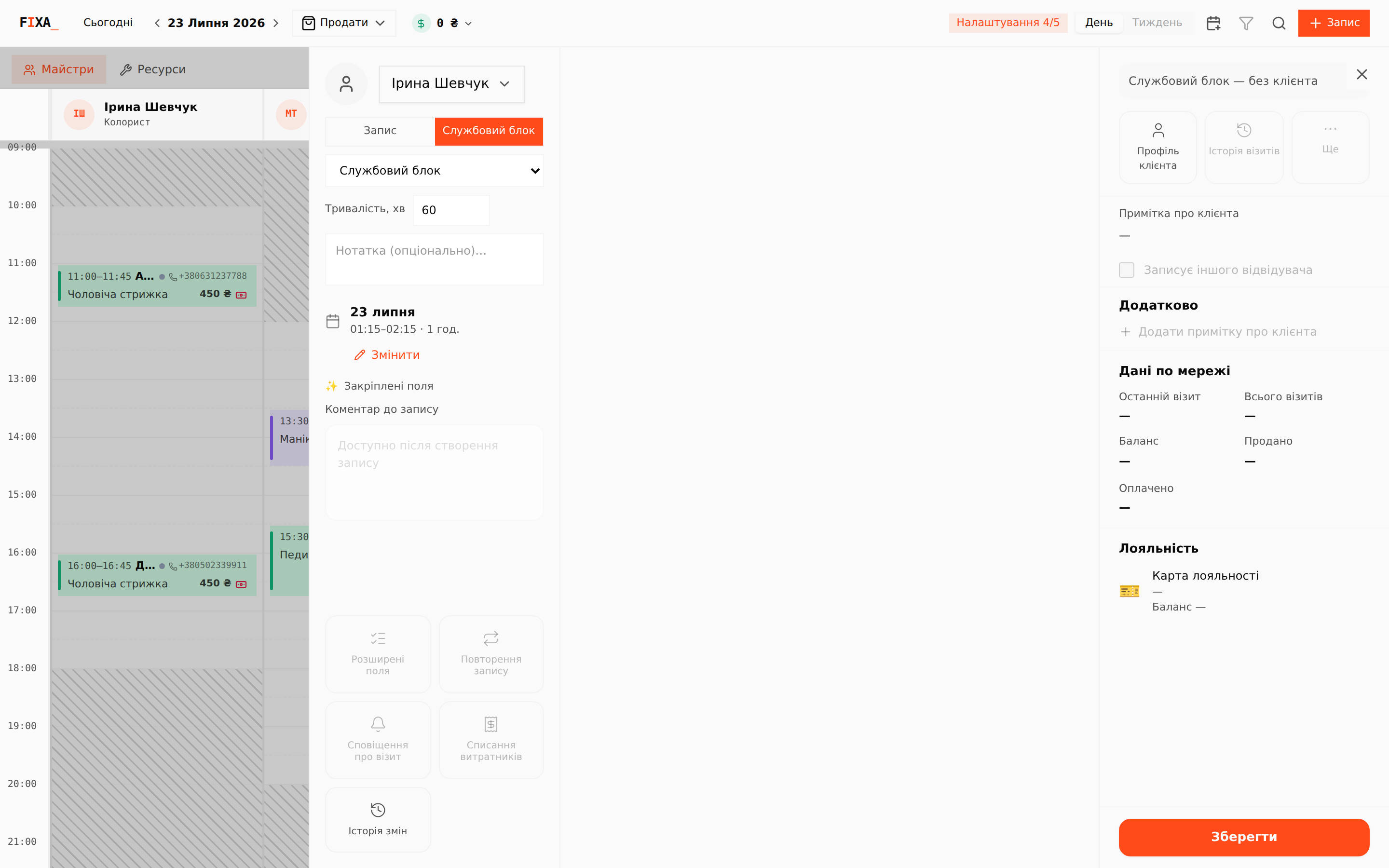
- Open the appointment creation panel — from a free cell in the master's column or with the “+ Запис” button.
- At the top of the panel switch from “Запис” (Appointment) to “Службовий блок” (Service block).
- Pick the block type (e.g. “Службовий блок” or “Перерва”), set the duration in minutes and optionally add a note — it will be visible on the card in the journal.
- Press “Зберегти” (Save) — a block needs neither a client nor services.
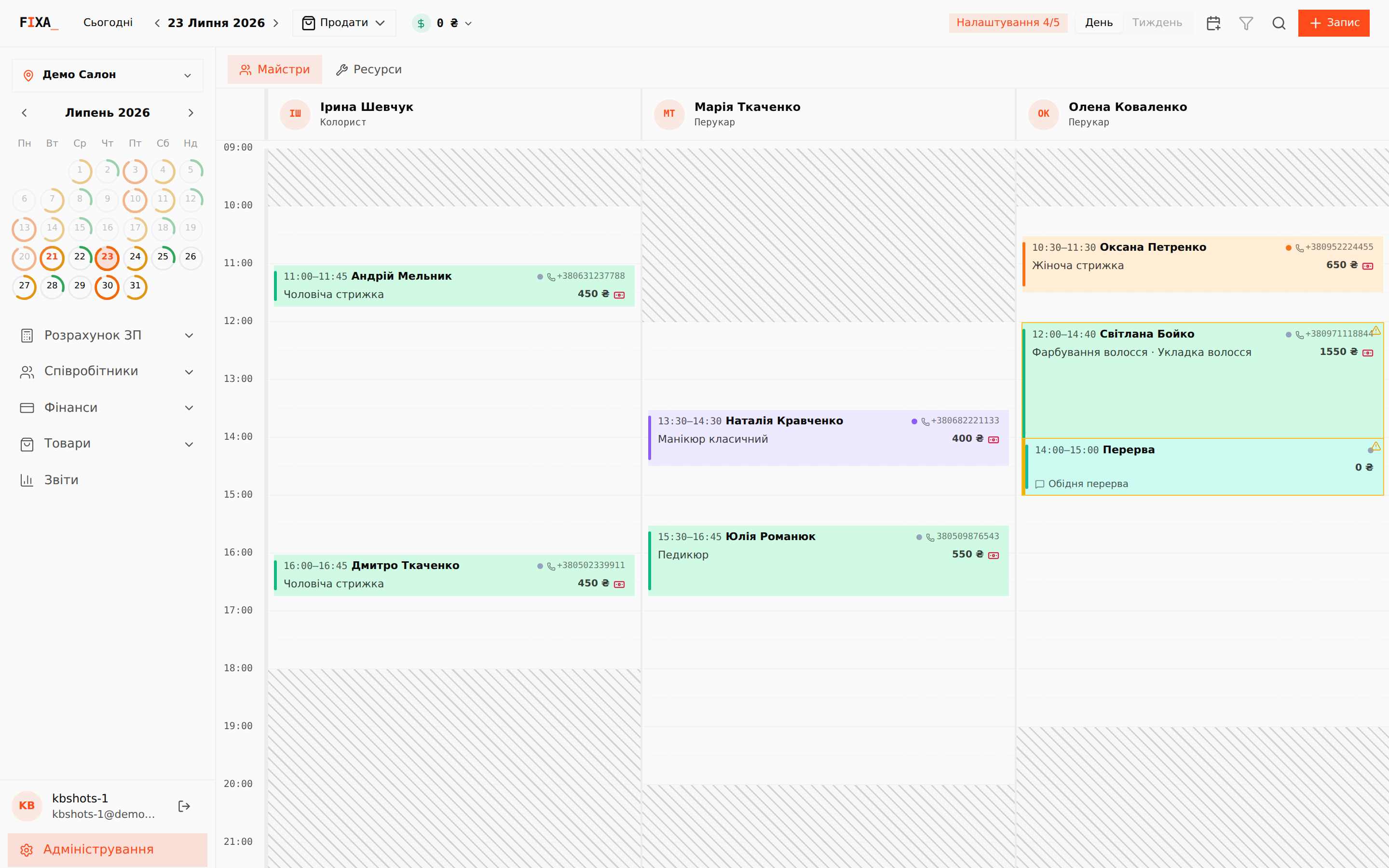
How a block looks in the journal
The block sits in the master's column as a card without client data — a type, a note and a zero total:
What a service block does
- Closes its time for online booking — clients will not see these slots in the widget or the Telegram bot.
- Creates no payment debt and does not affect client statistics or payroll.
- Can be set in advance (e.g. lunches a week ahead) or on the fly.
The master's working schedule is defined in the schedules section, and service blocks “cut out” pieces of it inside the day. If the master is away for the whole day, remove the day from the schedule instead of blocking it entirely.