The “Appointments” list
The journal is for “right now”, the list is for “find it”. The “Appointments” section lives in Administration → Reports → “Appointments” and shows every appointment of the business as a table.
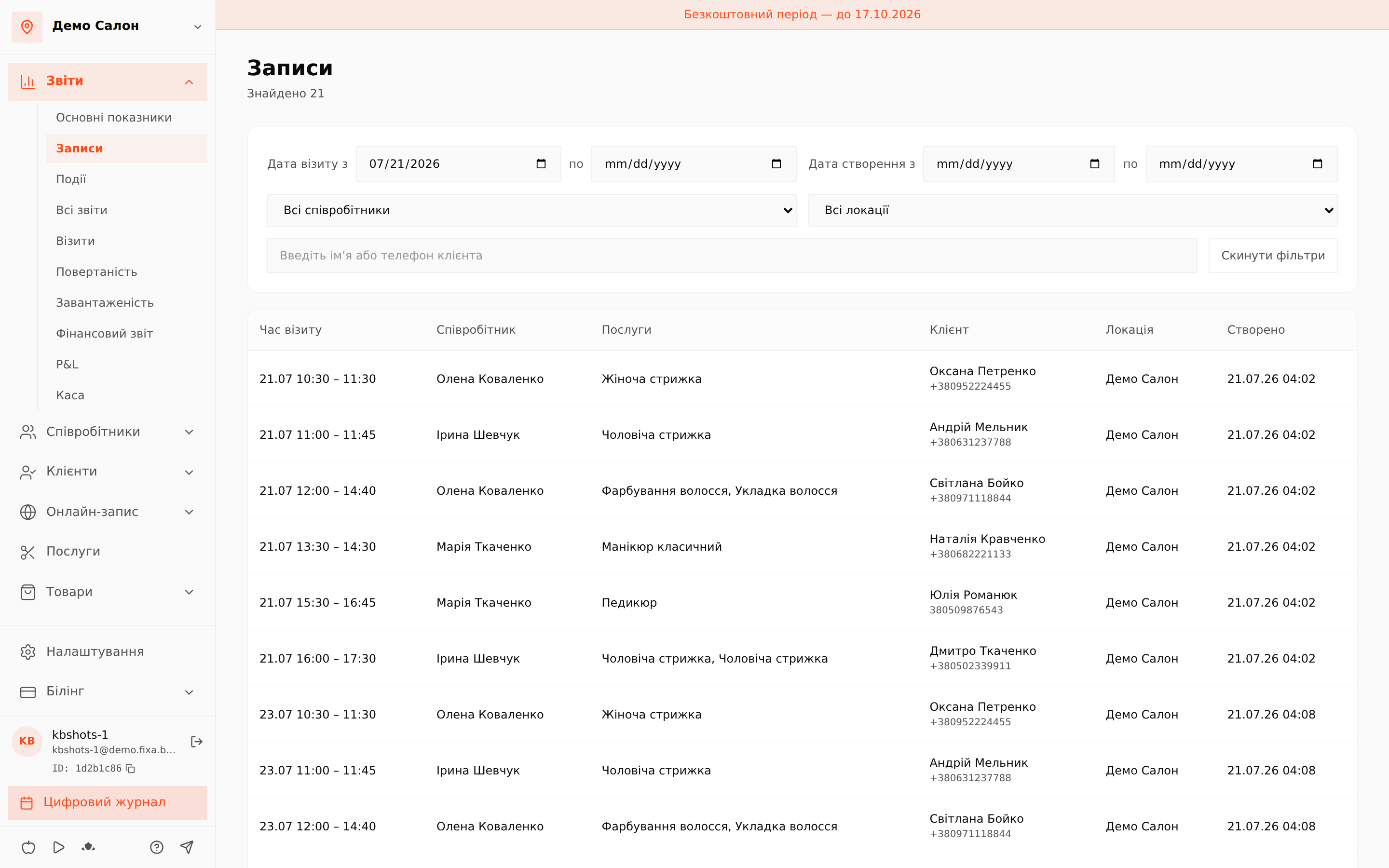
Filters
- Visit date from/to — when the client comes.
- Creation date from/to — when the appointment appeared; an easy way to find “everything booked yesterday” regardless of the visit date.
- Staff member and location.
- Search by client name or phone.
- “Reset filters” brings the default view back.
The table
Visit time, staff member, services, client with phone, location and the creation moment. Pagination at the bottom; the page size is adjustable.
Clicking a row opens the same appointment panel as in the journal: statuses, services, payment — all in one place.
💡 Typical scenarios: find all visits of a specific client, check appointments created on a day off, or view a specific master's day as a list.