Salary payouts: statements, advances and partial payments
Payouts live in Payroll → Settlements. The logic is simple: statement → finalize → payouts (installments allowed).
Statement and statuses
Pick a period (current month by default) and click Show. A professional''s row shows gross, advances, deductions and To pay; the chips above filter by Draft / Finalized / Disputed / Paid.
- Statement periods are arbitrary (a week, ten days, a month) — they just must not overlap: accruals are tied to visits, and an overlap would mean double pay.
- A draft can be recalculated (new visits get picked up) or deleted and re-created for other dates.
- Finalize period locks the amounts before payout; made a mistake — Return to draft.
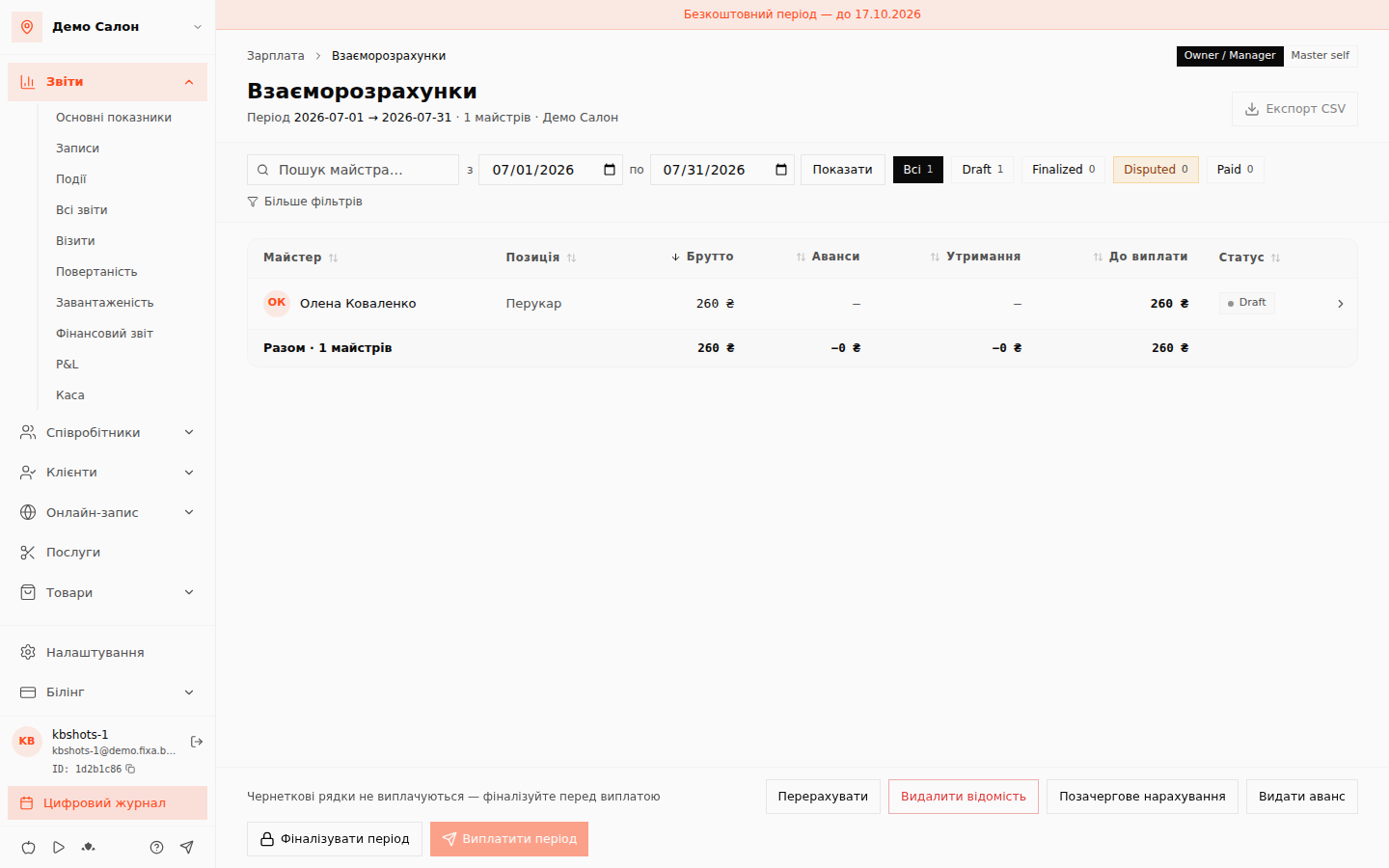
Paying — installments allowed
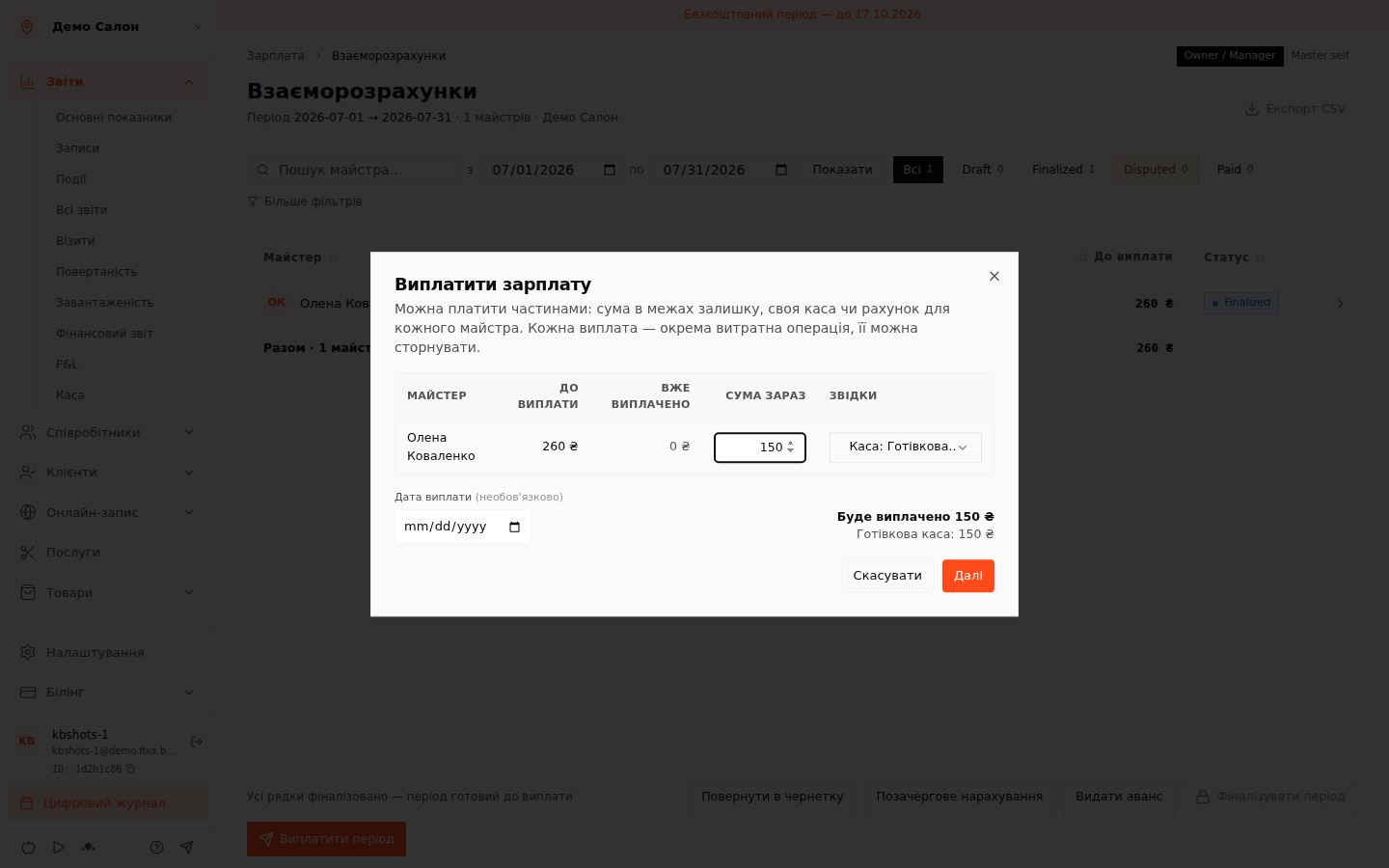
Pay period opens a table: per professional — "To pay", "Already paid", an editable Amount now (defaults to the full remainder) and where from: a cash register or bank account per row. Below — a live total "Will be paid … ₴" broken down by register.
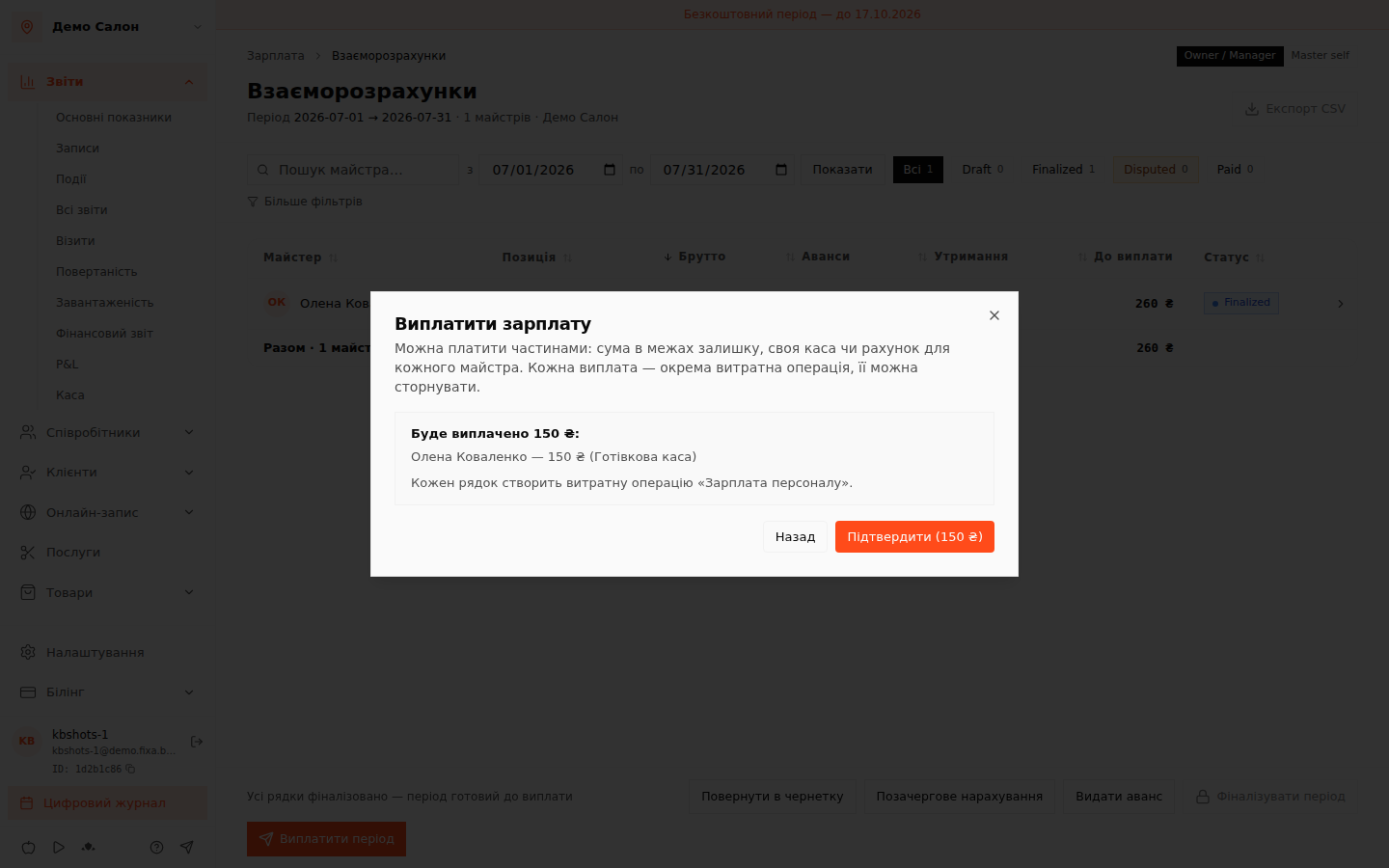
Confirmation is a second step with exactly the same text: what''s written is what happens. Every payout creates a "Staff salary" expense operation in the finance journal.
History and reversal
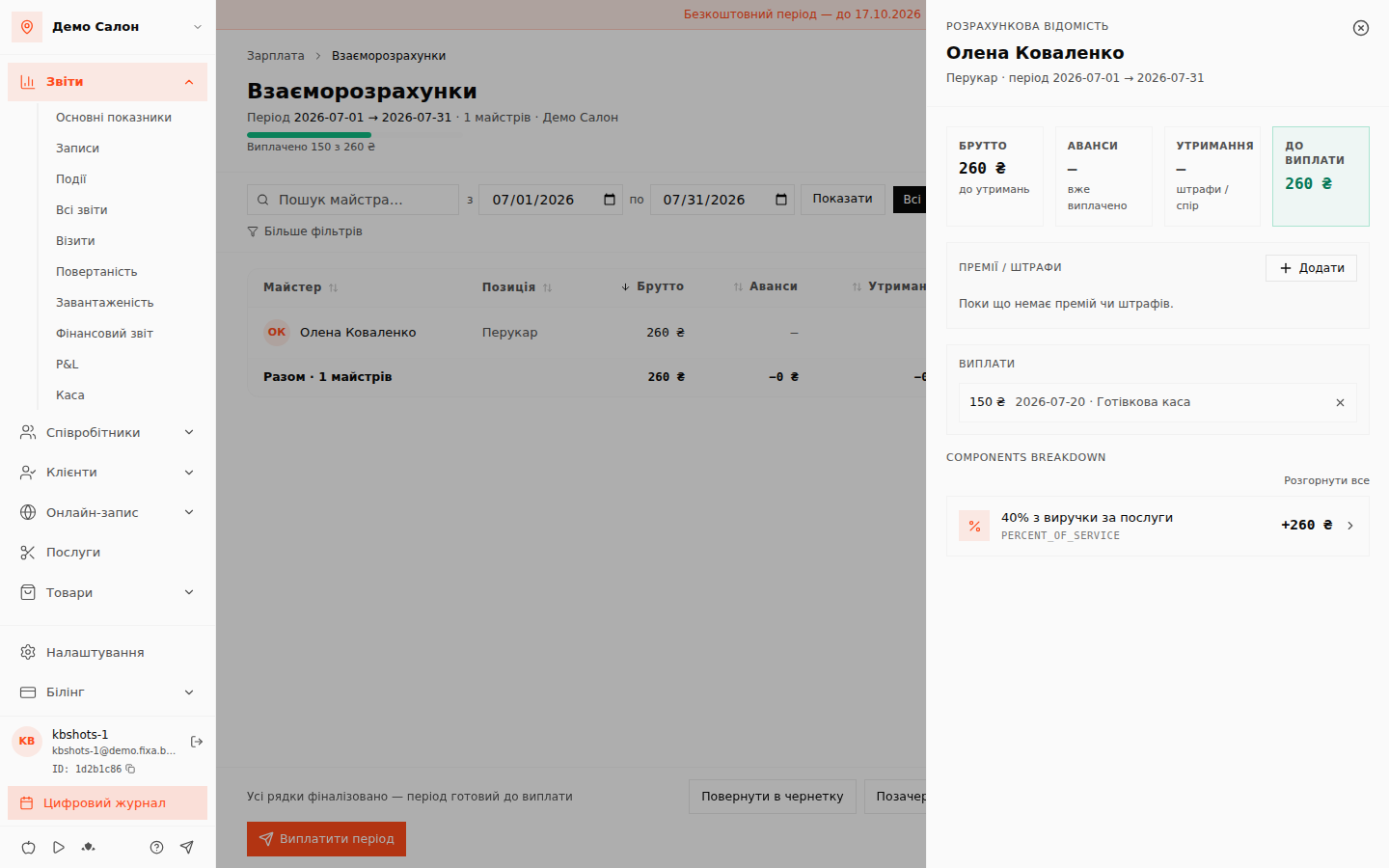
Paid a part — the header shows "Paid … of … ₴" progress. Clicking a professional''s row expands the statement: accrual breakdown by component, bonuses/penalties, the list of all payouts (date, amount, register) — and a reversal for any installment if something went wrong.
Advances and out-of-turn accruals
Need to hand out money mid-period without closing it? The Give an advance and Out-of-turn accrual buttons are right on the page: an advance reduces "To pay" when the statement closes.
FAQ
Why is "Pay period" disabled? The statement is still a draft — "Finalize period" first. Draft rows are not paid out.