The journal on your phone
FIXA works in your phone's browser with no separate app: open fixa.business, sign in — and the journal adapts to the screen.
Navigation
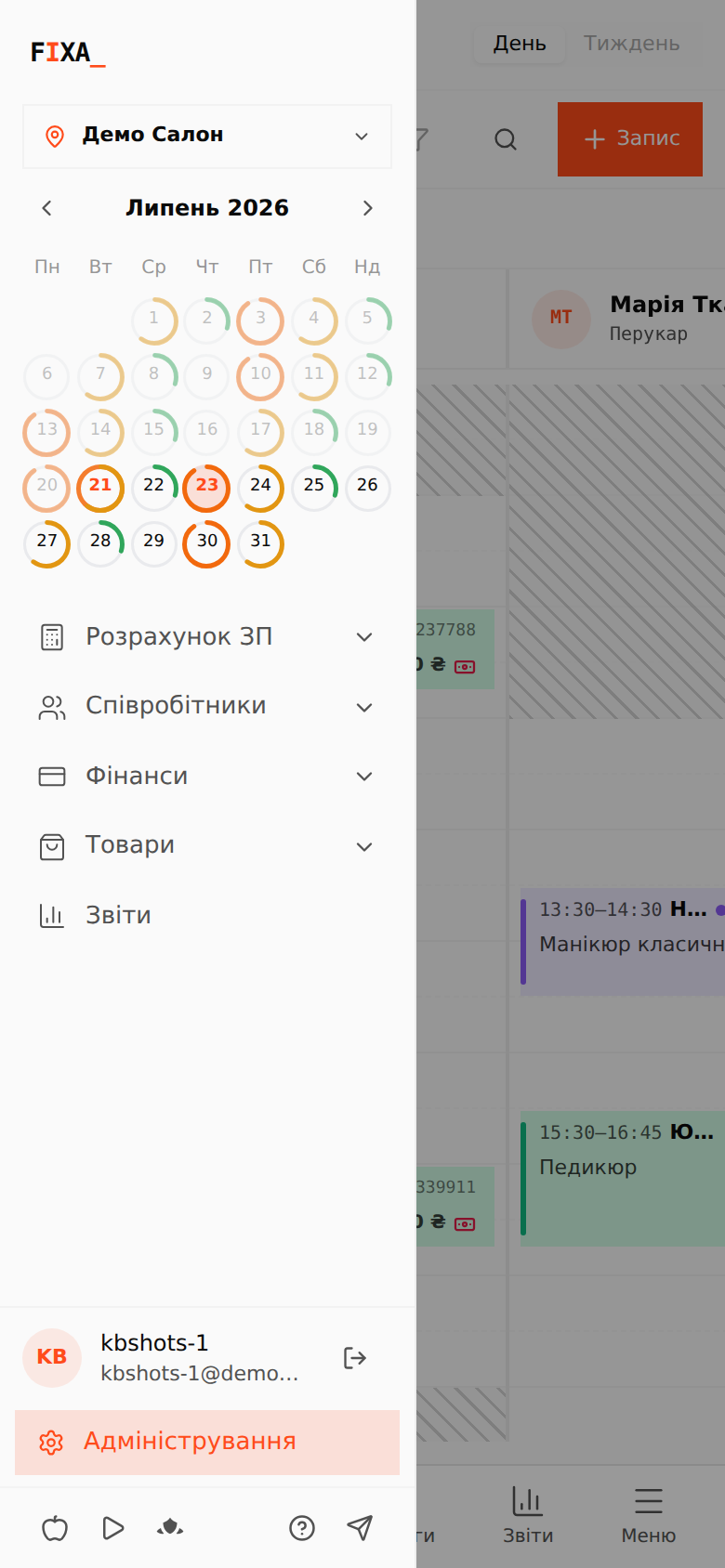
At the bottom there is a bar with the main sections: “Календар” (Calendar), “Клієнти” (Clients), “Послуги” (Services), “Звіти” (Reports) and “Меню” (Menu). Top-left is the menu button: location selector, the month mini-calendar and all administration sections.
The day grid
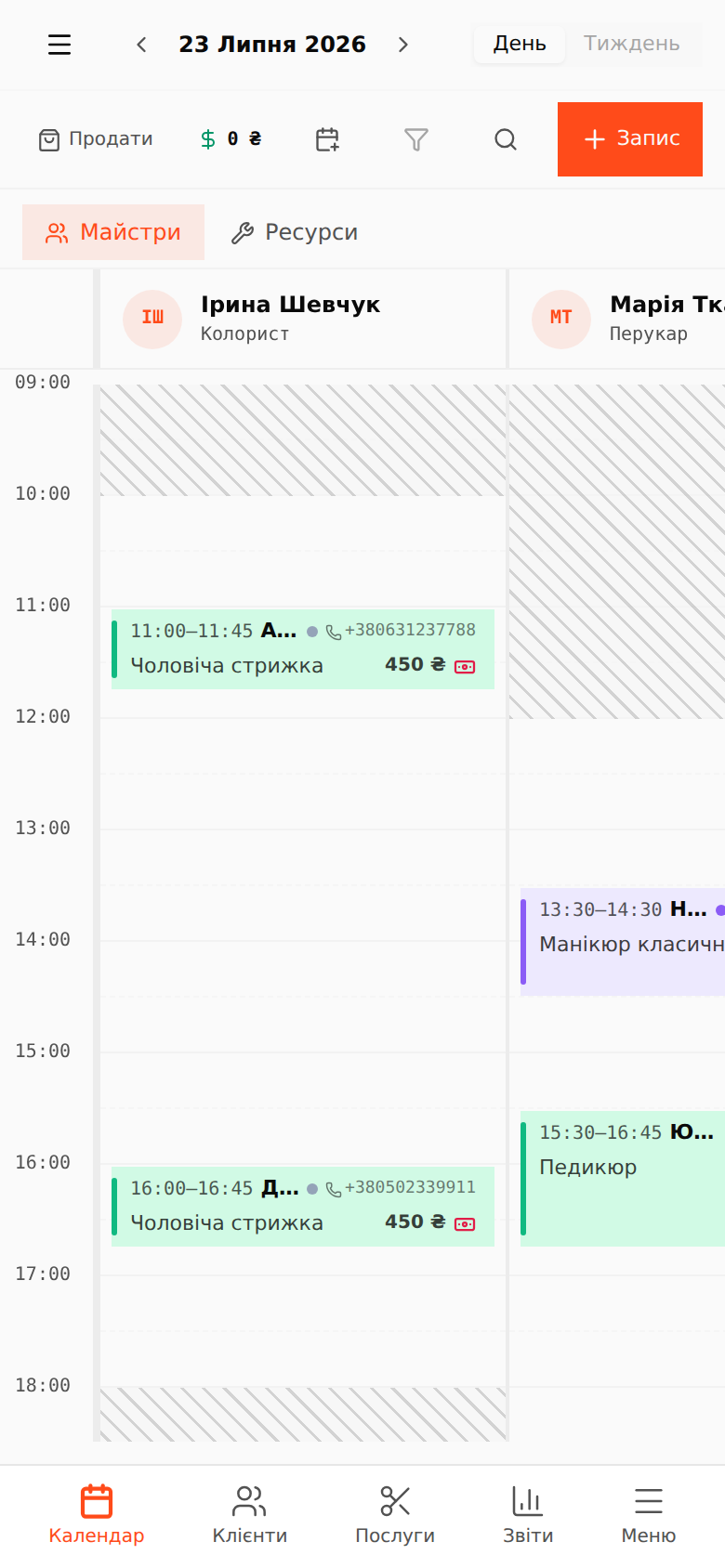
Swipe horizontally to move between staff, vertically to move through time. Tap a free cell to create an appointment, tap a card to open it.
The appointment panel
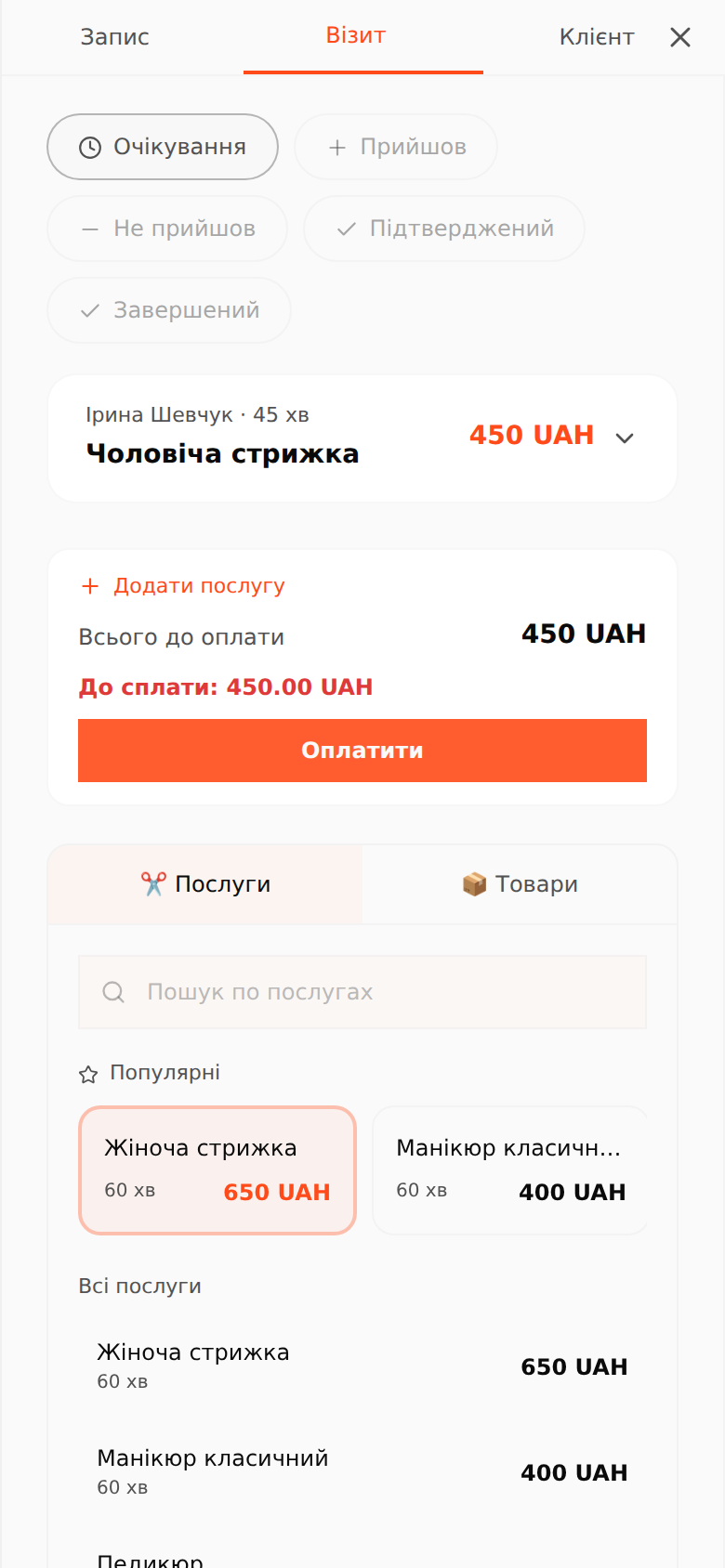
On a phone the appointment panel opens full-screen with three tabs: “Запис” (master, time, type), “Візит” (statuses, services, products, payment) and “Клієнт” (client data and stats). Close it with the cross or the system “back” button — it returns you to the journal instead of leaving the app.
Lists as cards
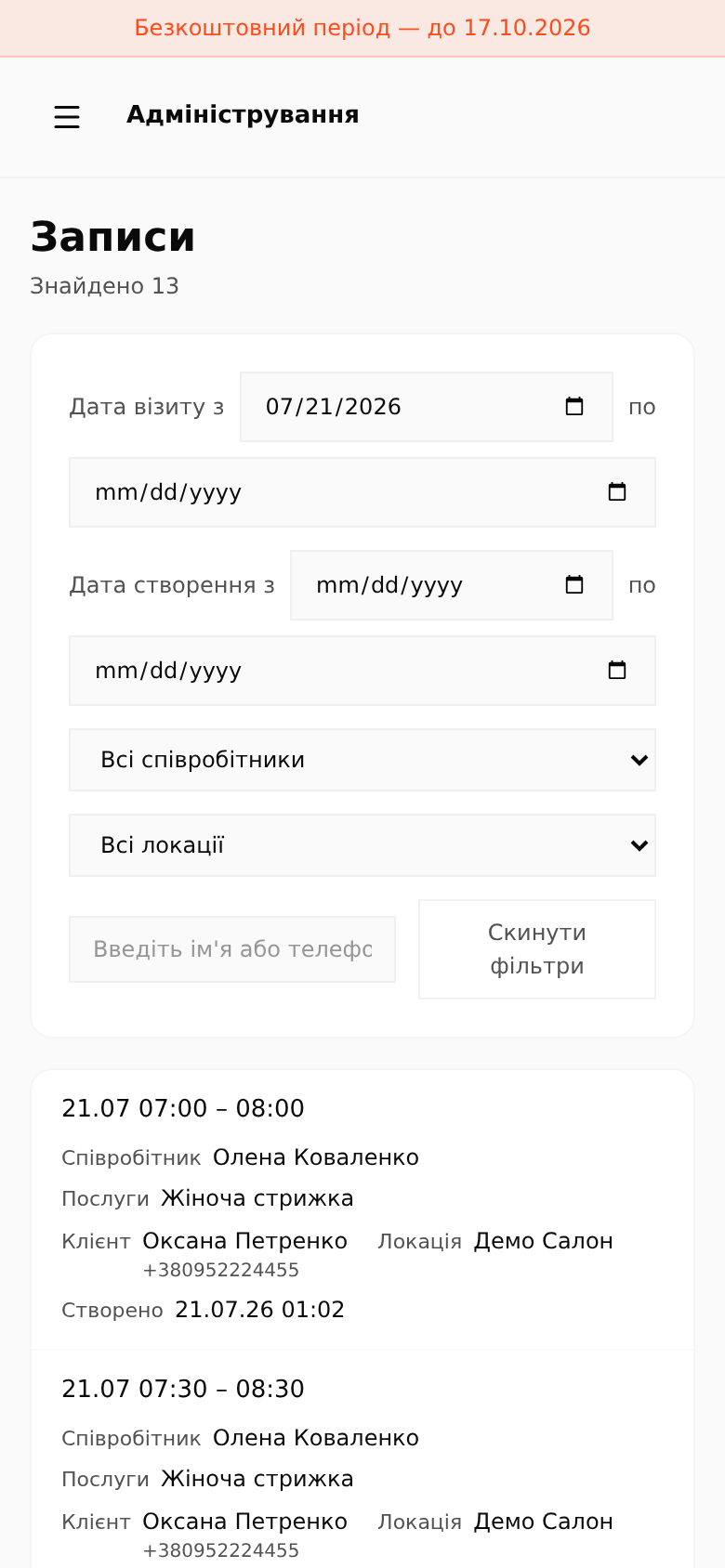
Wide admin tables (e.g. the “Записи” section) turn into compact cards on the phone — readable without horizontal scrolling, with the same filters and search as on desktop.