Service discounts and price recalculation
Discount on a line item
Click a service row in the appointment — it expands:
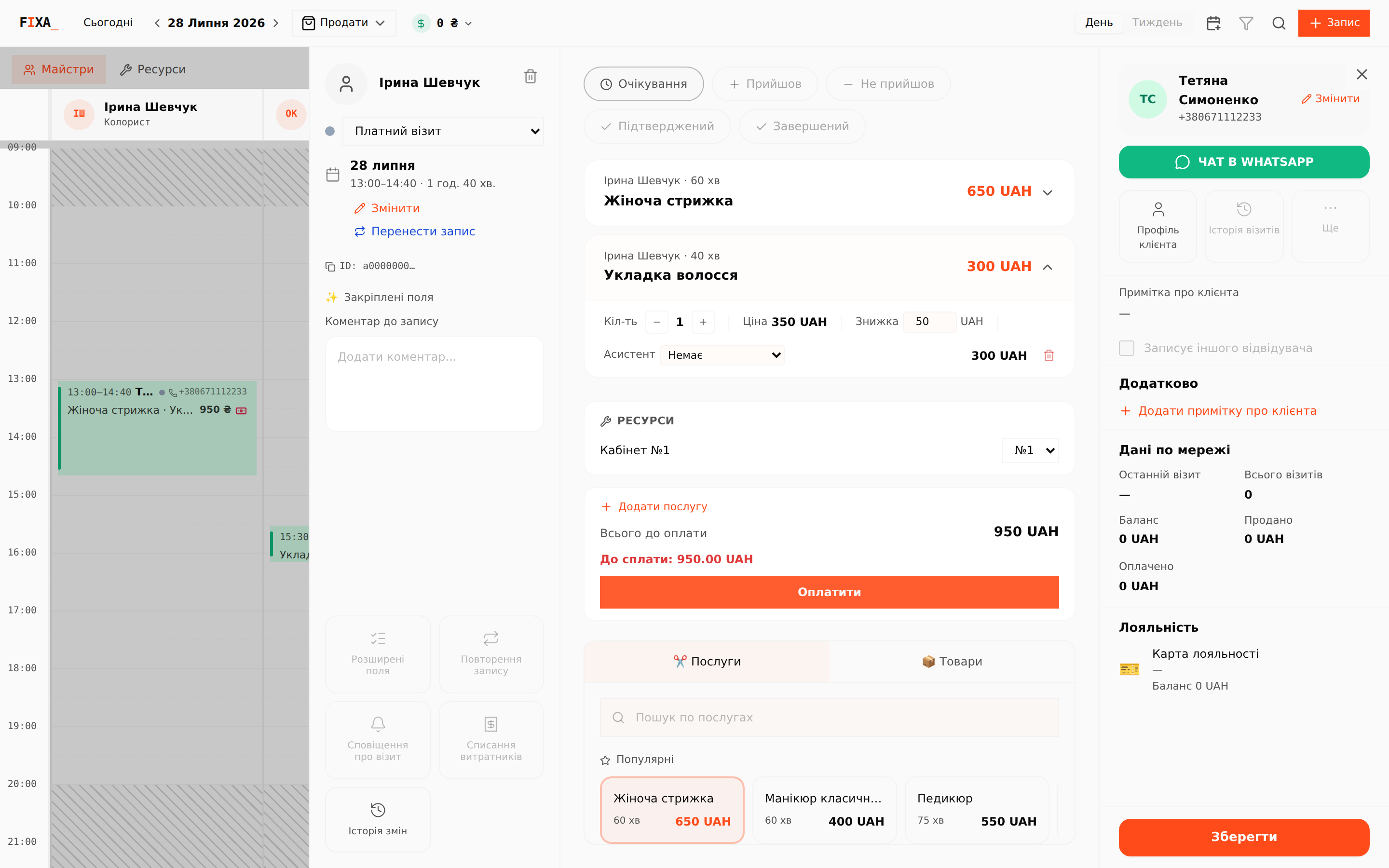
Here you edit the quantity, the discount and — if assistants are enabled — the assistant for this service. The discount is set in hryvnias per line; the line subtotal and "Total due" recalculate immediately.
💡 The discount is per line item, so reports show exactly which services you discounted.
Position-based prices
A service price may depend on the master's position (per-position pricing is configured in "Services"). When you add a service to an appointment, the price for the selected master's position is applied.
Recalculation after changing the master
If you moved the appointment to another master, or the position's price list changed, the saved prices may drift from the current ones. A banner appears at the top of the card:
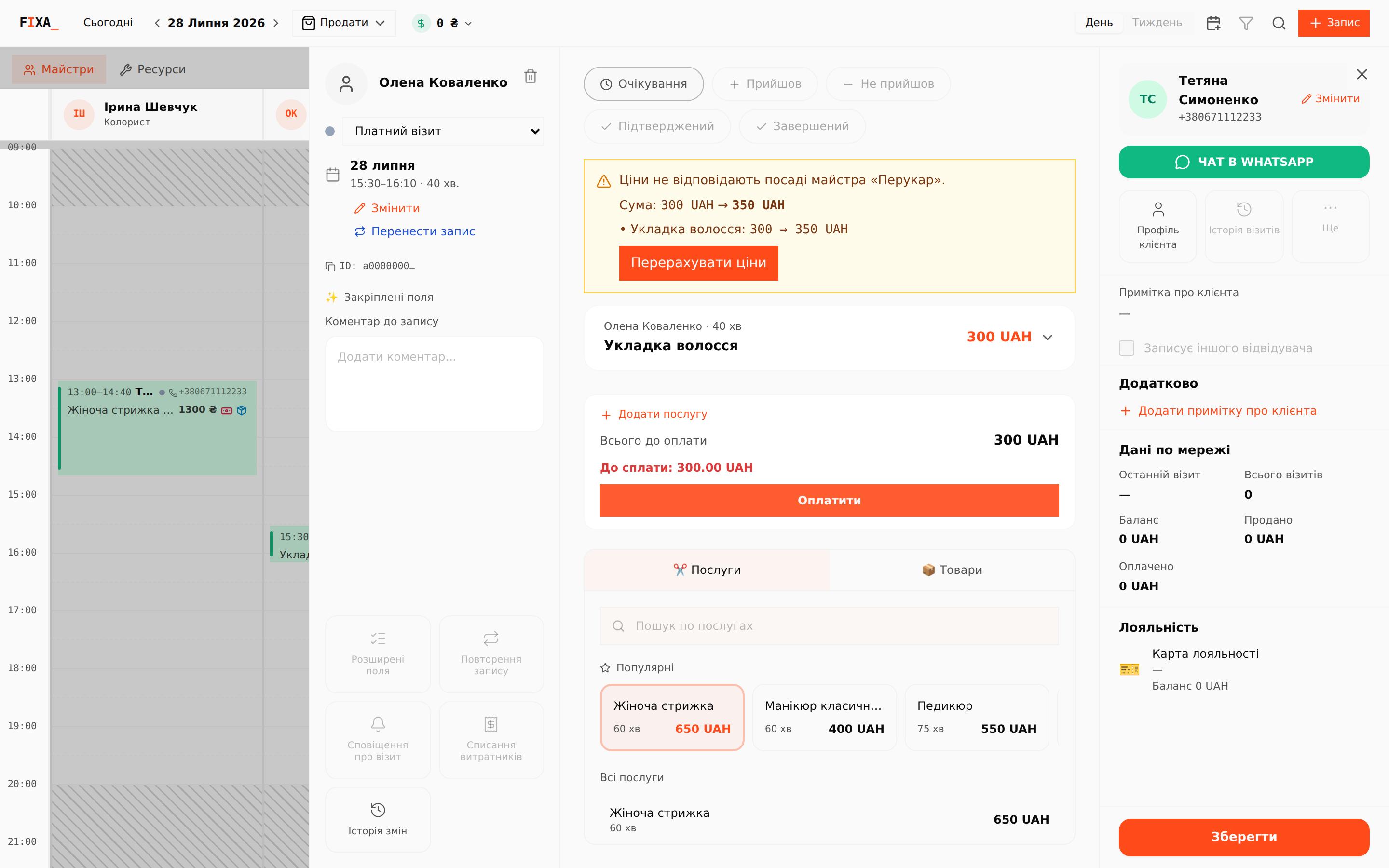
The banner shows the old and new totals per line. Press "Recalculate prices" — all lines update to the new master's position price list. Services this position does not offer keep their old price — the banner honestly marks them on a separate line.
Recalculation never runs automatically: until you press the button, the visit's agreed prices stay untouched.