Dismissing and reinstating an employee
When an employee leaves, there is no need to delete anything — "Team" → employee → "Dismiss" does everything correctly and keeps the history.
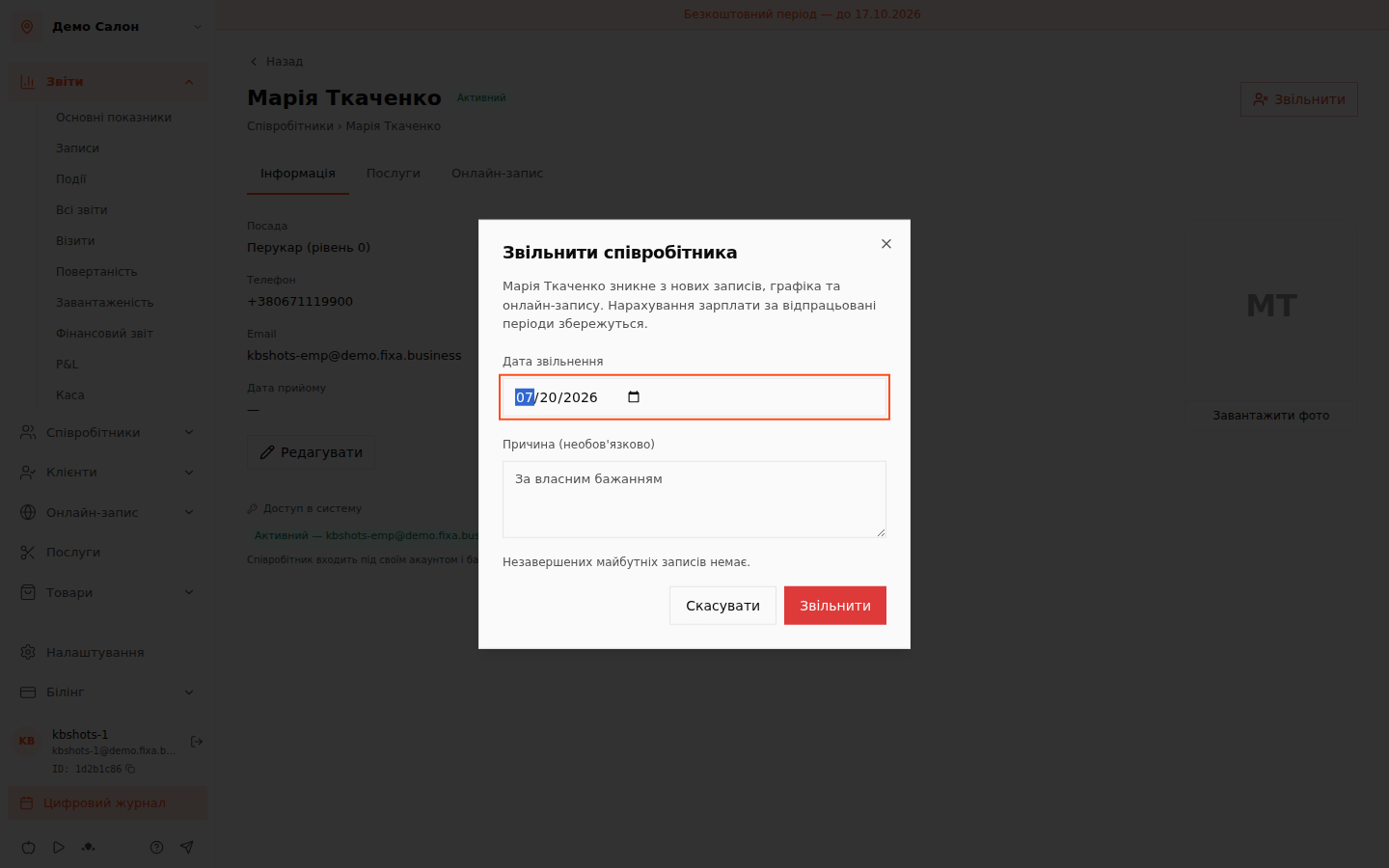
What dismissal does
In the dialog, set the dismissal date and an optional reason. Once confirmed, the employee:
- disappears from new appointments, the schedule and online booking;
- stays in history: past visits, reports and the journal do not change;
- keeps their accrued salary for worked periods — statements can be finalized and paid out as usual.
Future appointments
If the master already has upcoming appointments, the dialog shows their count and list — nothing is cancelled automatically. Move those appointments to other masters in the calendar before or right after the dismissal.
Where dismissed employees live
The team list gets a "Dismissed" section — cards remain viewable. A dismissed employee''s card shows the date and reason, and the "Reinstate" button brings them back: they reappear in the schedule and new bookings.