How to create your first appointment in the journal
Appointments are created in a couple of clicks right from the journal — even if the client calls for the first time and is not in the base yet.
Create an appointment
- Open the “Записи” (Appointments) section.
- Click “Новий запис клієнта” (New client appointment) (or click a free cell in the journal grid — the time and specialist will be pre-filled).
- In the “Клієнт” (Client) field enter the phone number: if the client is already in the base — the system finds them, if not — it offers to create a new one with a name and phone.
- Choose the service (search across services) and the specialist — the price is taken from the price list considering the specialist's position.
- Check the date and time, add a comment if needed — and save.
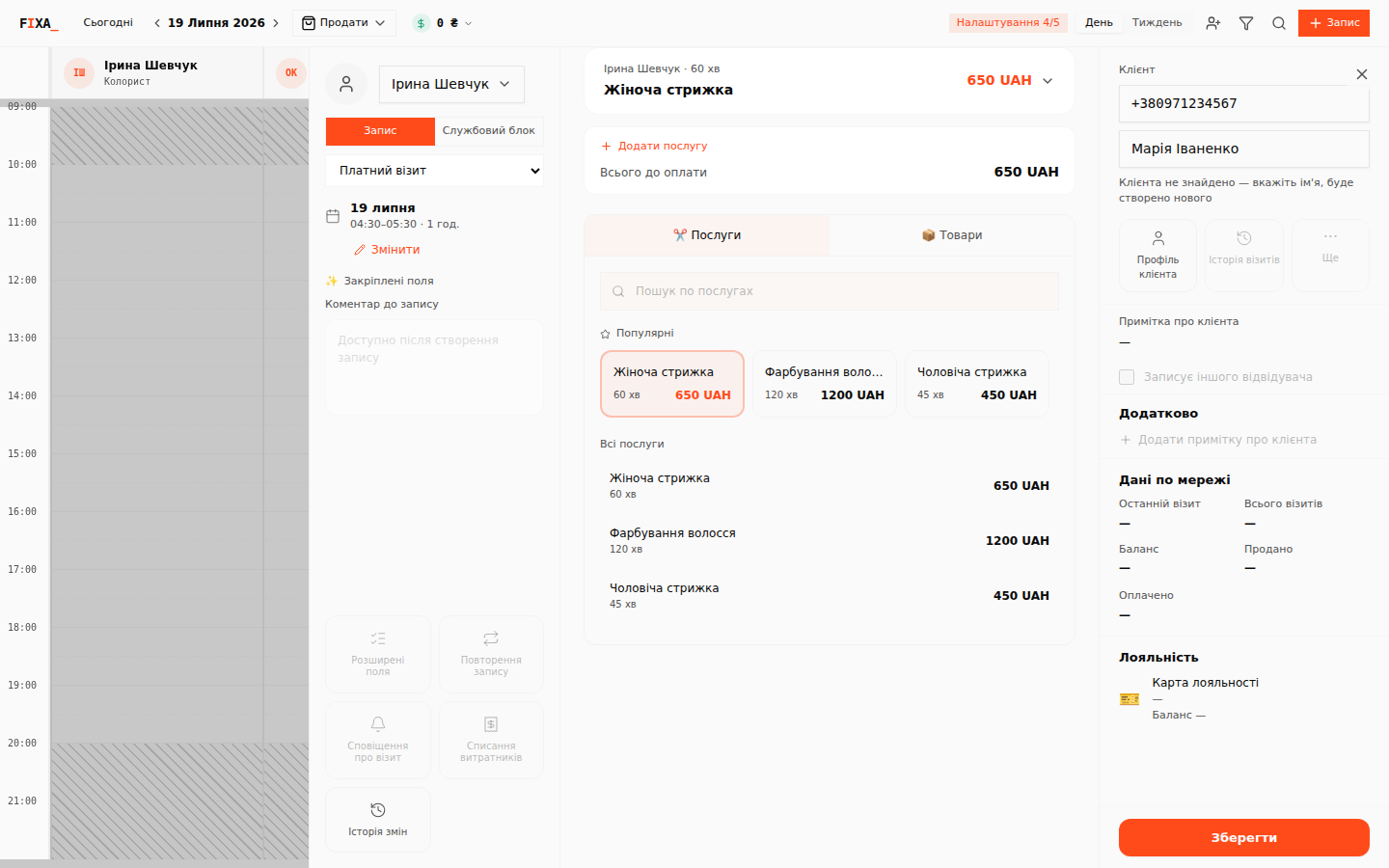
The appointment appears in the journal; you can drag it to another time, reschedule it, cancel it or mark a no-show.
Internal block (no client)
Lunch, training or cleaning is an appointment without a client:
- In the appointment panel switch from the “Запис” (Appointment) tab to “Службовий блок” (Internal block).
- Choose the block type and time — an internal block needs neither a client nor a payment.
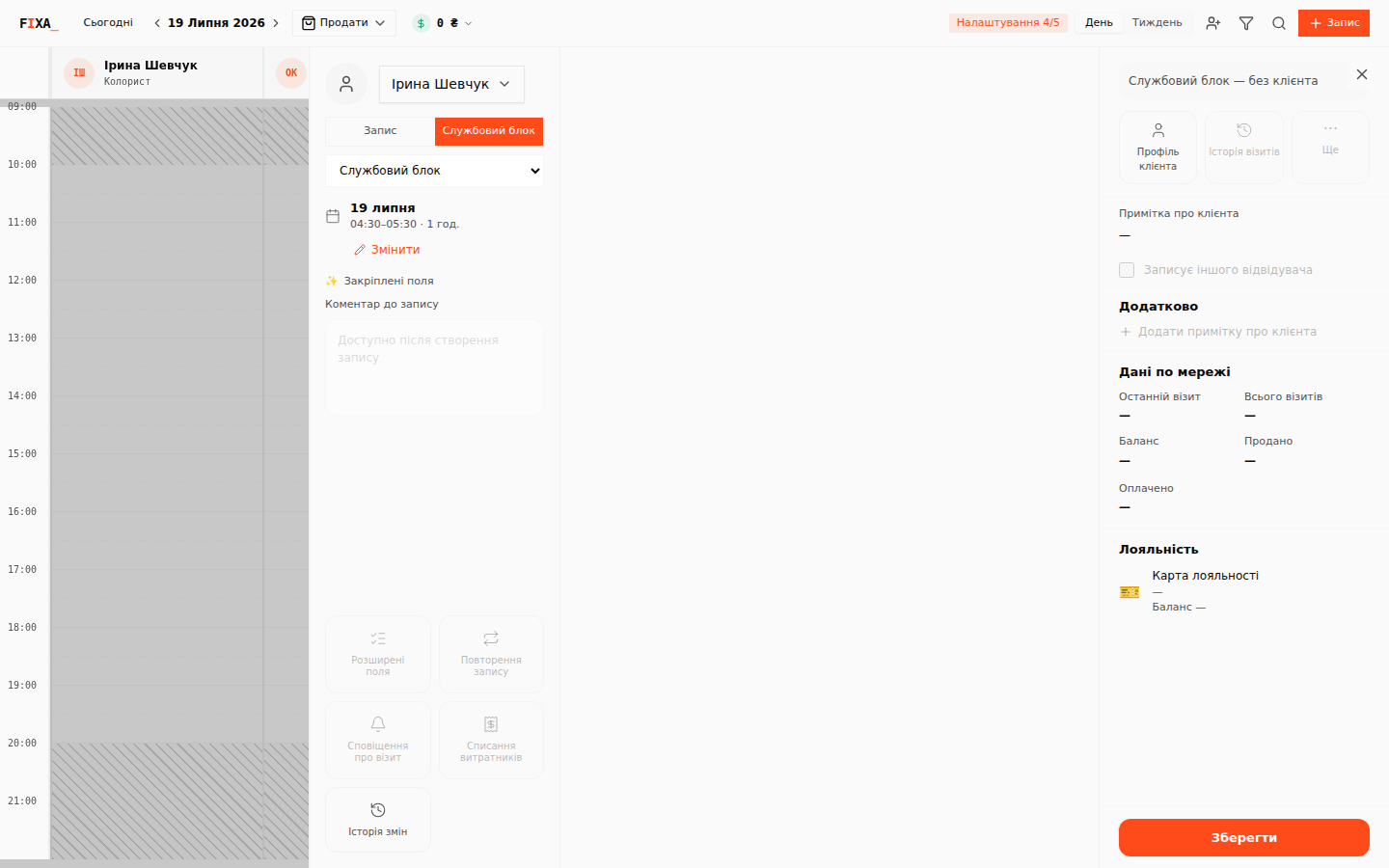
An internal block blocks online booking slots for that time and is not counted as an unpaid debt.
After the visit
When the client has been served — take the payment: it lands in the cash register and in the daily cash report.