Filling in your company details
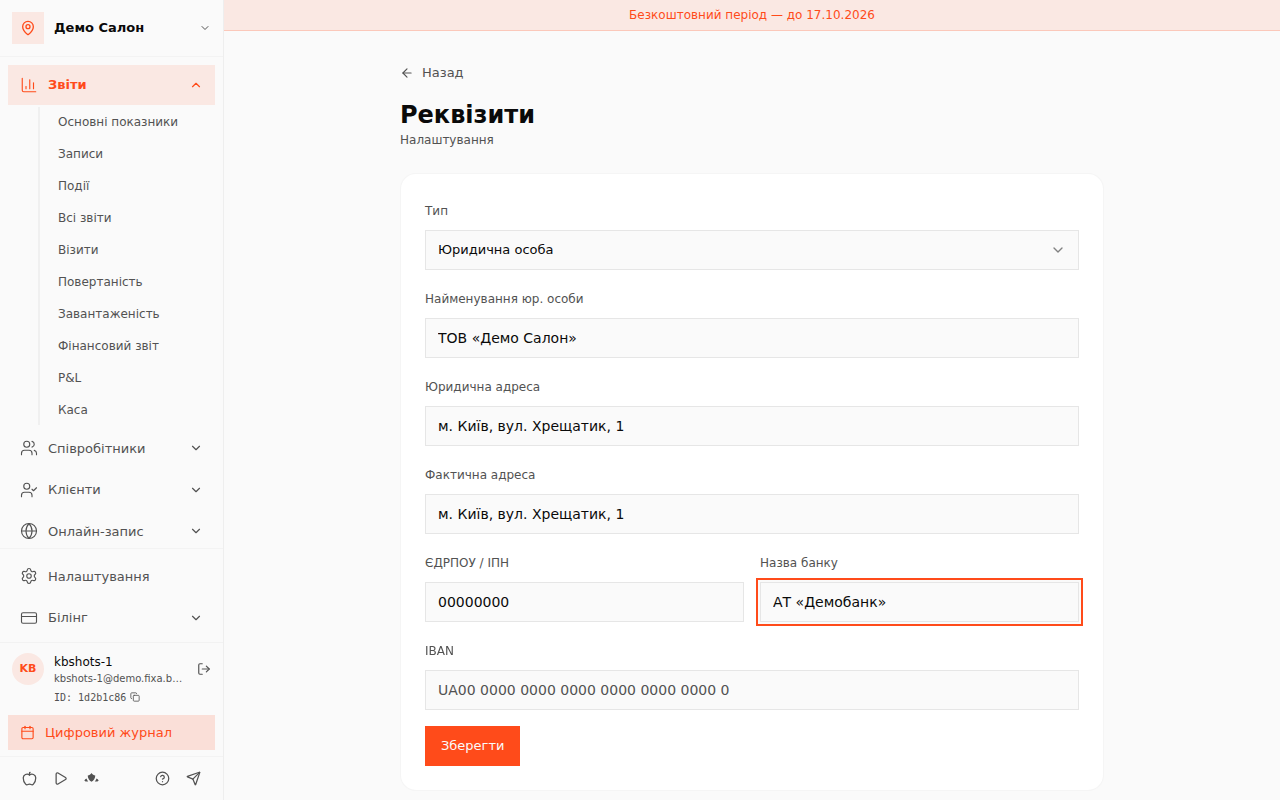
Company details are the legal data of your business: legal form, name, addresses, registration codes and bank account. FIXA stores them in the location settings so the data is at hand when you prepare documents.
Where to fill them in
- Open the «Налаштування» (Settings) section in the admin panel.
- In the "Location" group, choose the «Юридична інформація» (Legal information) card — the «Реквізити» (Company details) page opens.
Available fields
- Type — choose the legal form: legal entity, sole proprietor (FOP) or individual.
- Legal entity name — the official name as in your registration documents.
- Legal address and Actual address — they may differ; fill in both.
- EDRPOU / TIN — the company registration code or the entrepreneur's tax number.
- Bank name and IBAN — the account in
UA+ 27 digits format.
When done, click «Зберегти» (Save).
💡 Tip: put the legal name in company details (e.g. LLC "Romashka"), and the client-facing name in the "Brand" card. Clients see the brand; documents use the legal details.