How to assign specialists to services
The assignment tells the system who exactly performs the service. Without it, the online booking widget will not offer the client any specialist.
Assign the specialists
- Open the “Послуги” (Services) section and pick a service (or create one — how to add a service).
- Go to the “Онлайн-запис” (Online booking) tab.
- Enable “Доступна для онлайн-запису” (Available for online booking) if the service should be in the widget.
- Tick the specialists who perform this service.
- Click “Зберегти спеціалістів” (Save specialists) — you will see the confirmation “Спеціалістів збережено” (Specialists saved).
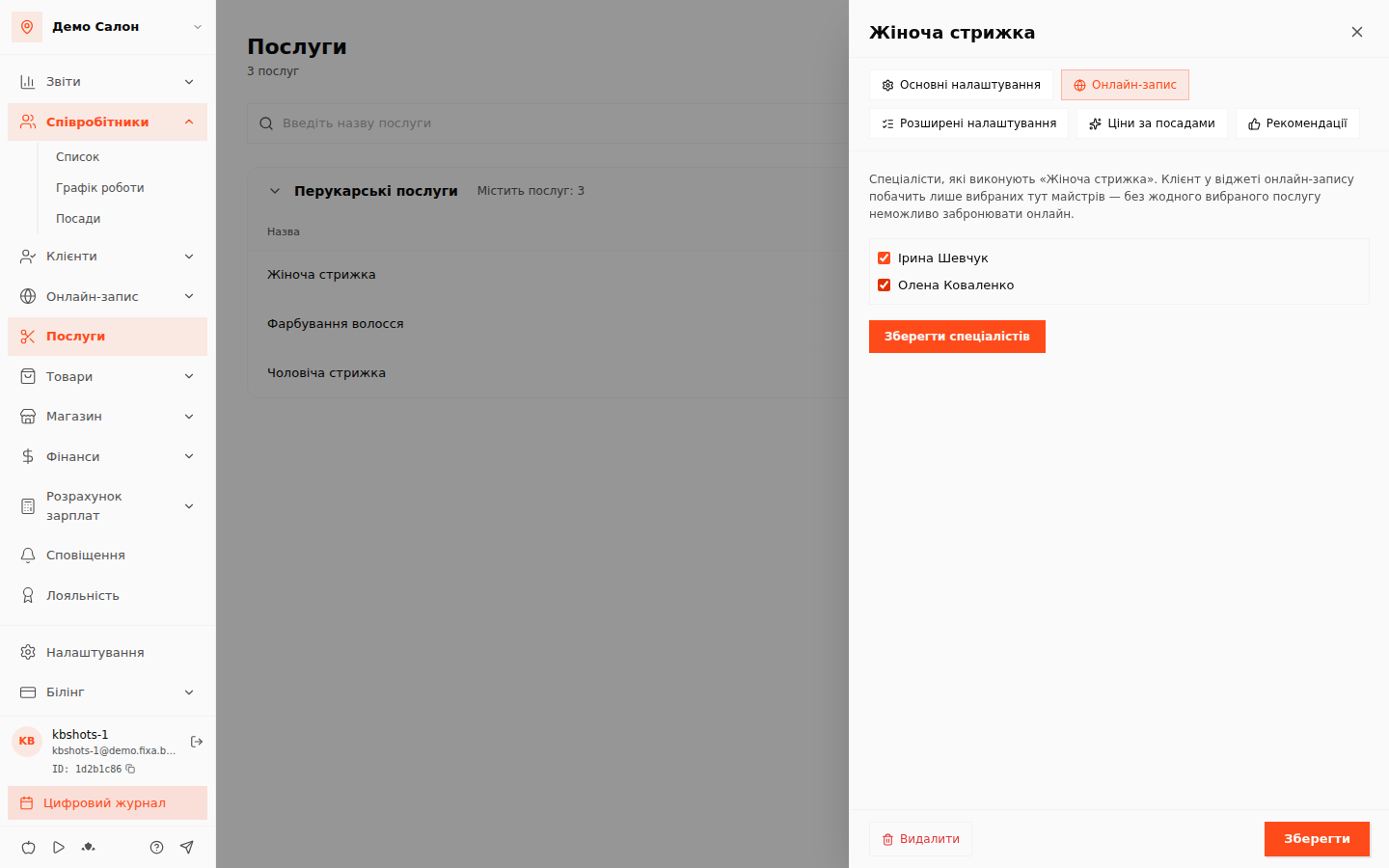
⚠️ Note: if no specialist is ticked, the system warns you — a service without performers will not appear in online booking.
💡 Tip: the assignment also works in the journal — in an appointment the system shows the price for the position of the chosen specialist (prices by position).
Check the result
Open your online booking link: on the specialist selection step you should see the assigned specialists with their schedules.