How to create an online booking link
An online booking link is a public page of your salon where clients choose a service, a specialist and a time by themselves.
Create a link
- Open “Онлайн-запис → Посилання на онлайн-запис” (Online booking → Booking links).
- Click “Нове посилання” (New link).
- Enter a name (for example, “Online booking”) and choose the location — a specific one or the whole network.
- Click “Створити” (Create) — you will see the message “Посилання створено” (Link created).
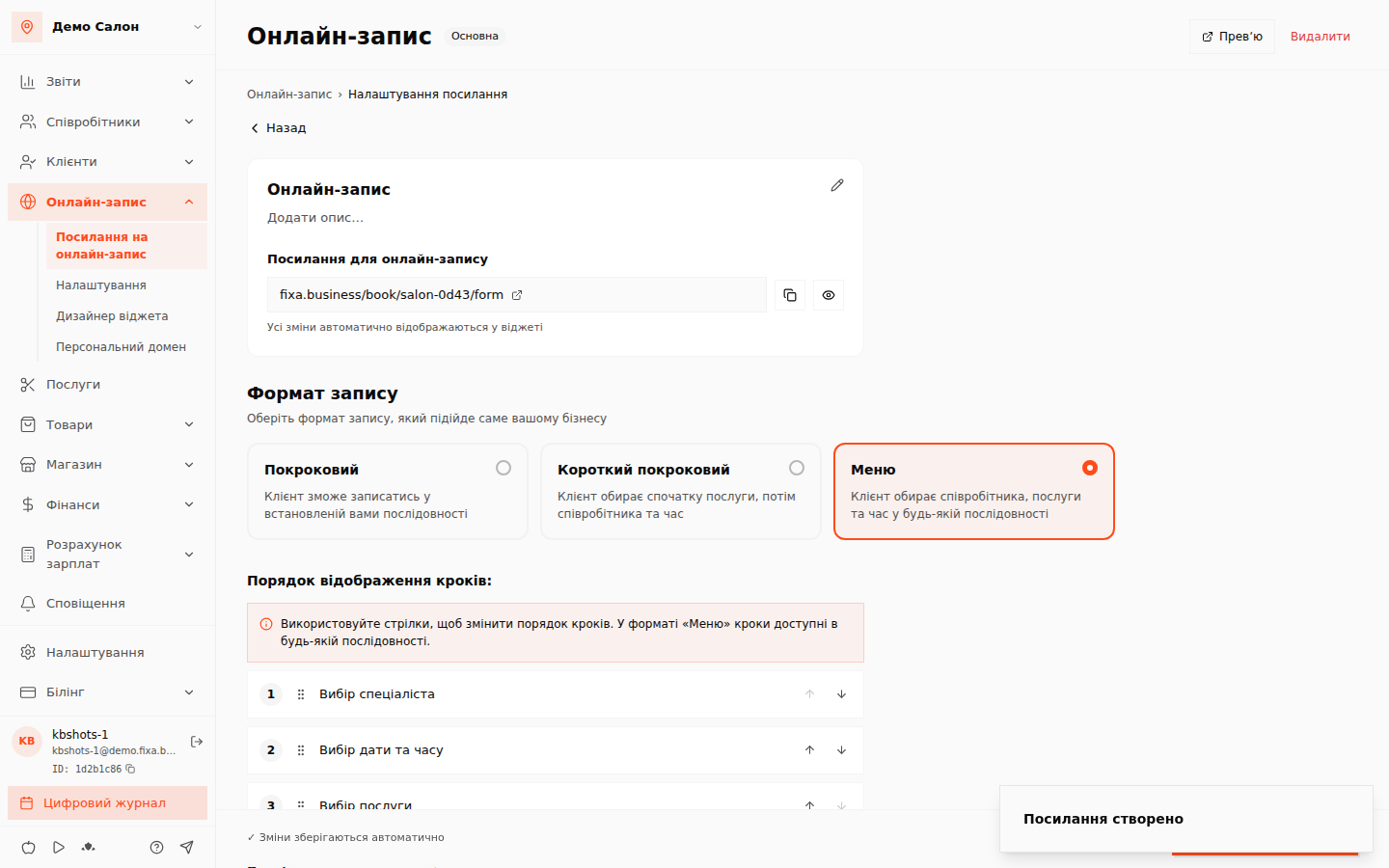
The address looks like fixa.business/book/your-salon/link-name. The copy button next to the link shows “Посилання скопійовано” (Link copied).
The main link
If you have several links (separate ones for Instagram, the website, business cards), one of them can be made the main one — “Зробити основною” (Make main). It is the one used by default.
What else can be configured
- “Онлайн-запис → Налаштування” (Online booking → Settings) — slot rules, preparation time and other booking parameters.
- “Онлайн-запис → Дизайнер віджета” (Online booking → Widget designer) — the look of the booking page: colors, steps, cover.
⚠️ Note: for the widget to have services and specialists, first add services, specialists, set their schedules and assign specialists to services.
Share the link
Add it to your Instagram bio, website, Google Business Profile and send it to regular clients — bookings will start filling up without phone calls.