Roles and access rights
Access in FIXA is built on role templates: you configure a role once, then assign it to team members. Each role is a set of rights grouped by module: calendar, clients, services, products, finance, payroll, reports and administration.
The management page is Settings → Roles (or straight from the hint on an employee's "Rights" tab).
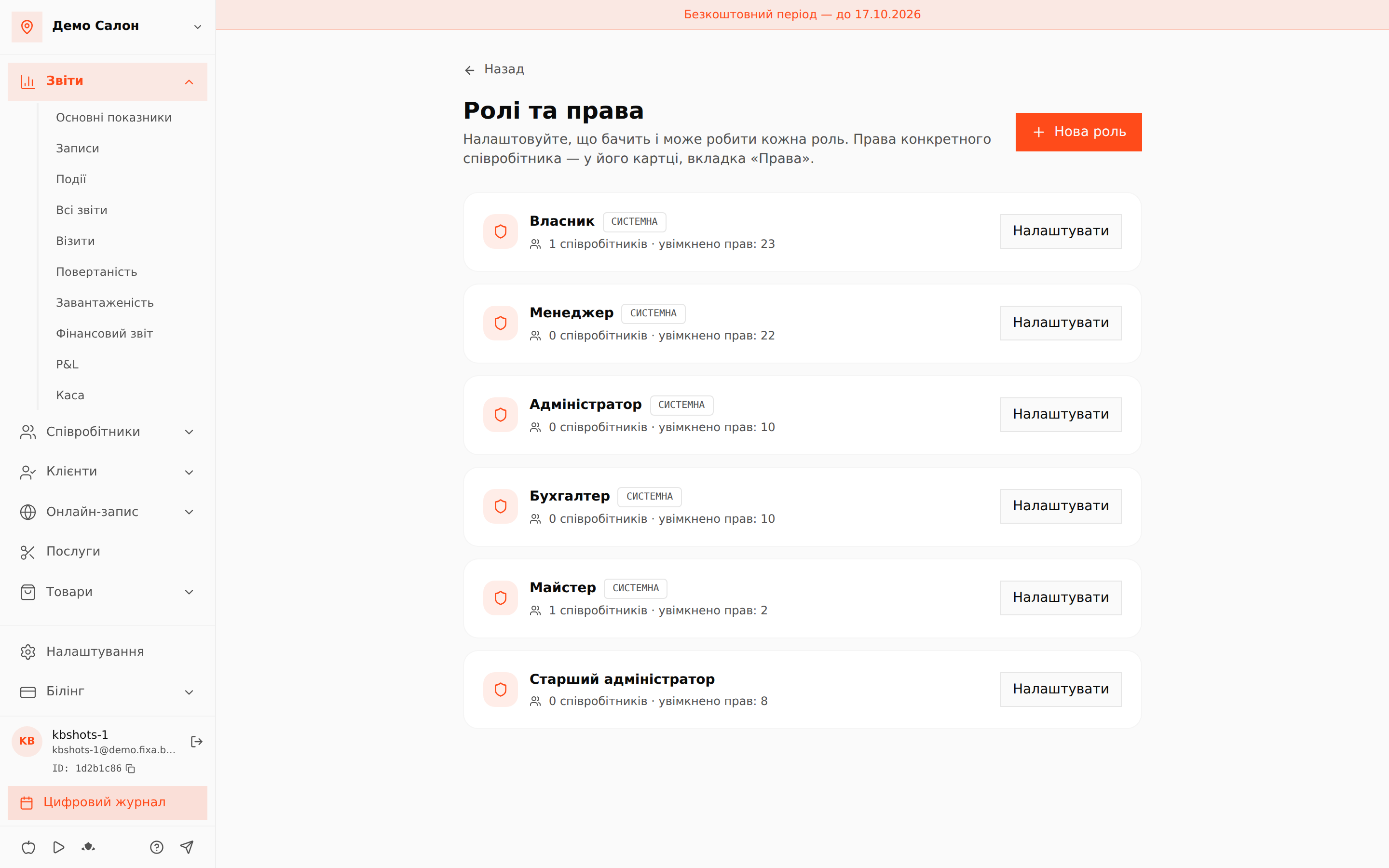
System roles
FIXA ships five ready-made roles, each marked "System":
- Owner — every right, including FIXA plan management;
- Manager — everything for day-to-day management, except billing;
- Administrator — calendar, clients, sales and till: the front-desk workplace;
- Accountant — finance, payroll and reports, without editing appointments;
- Specialist — "own schedule and appointments only": sees a personal cabinet instead of the admin area.
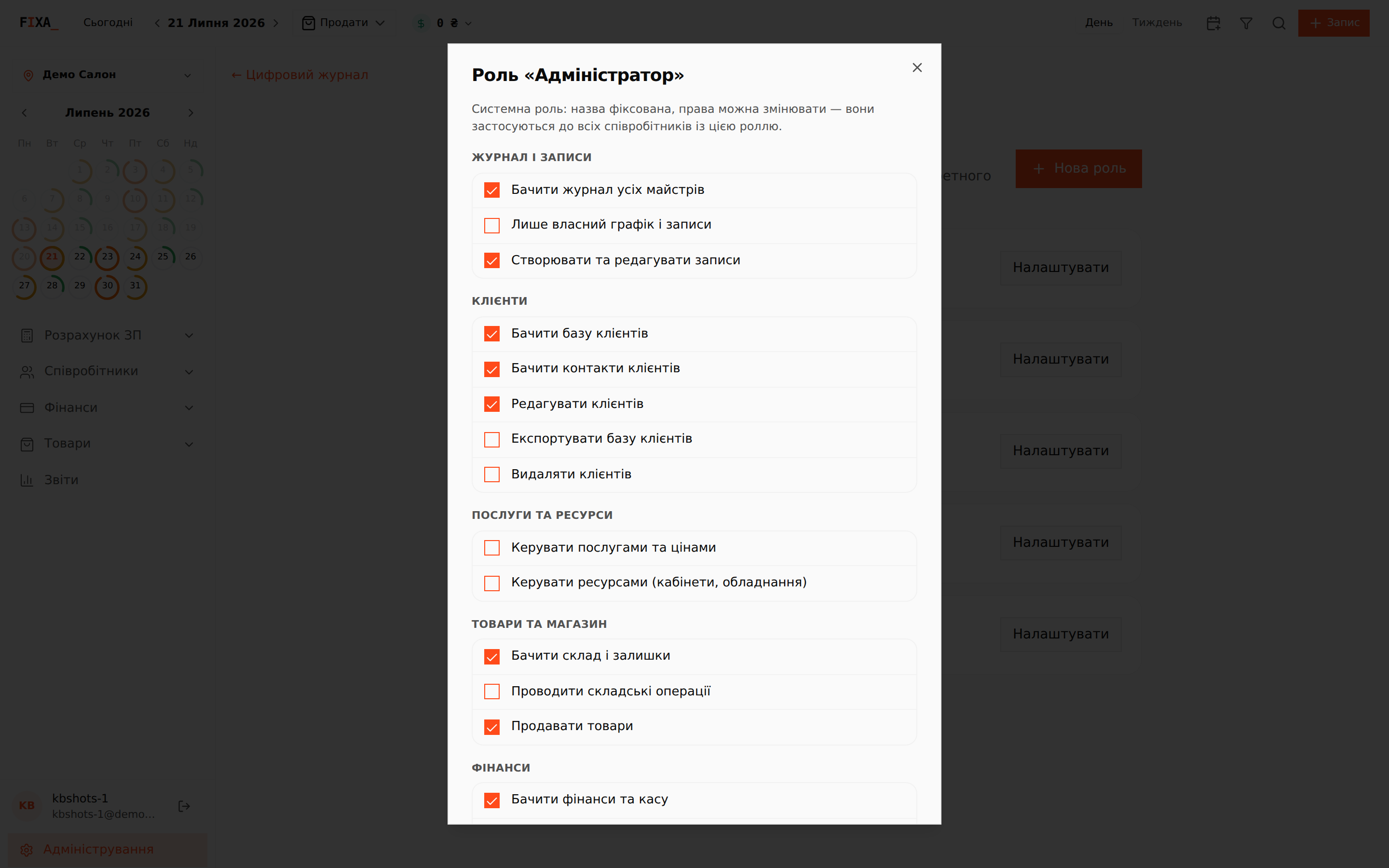
A role card shows how many members hold it and how many rights are enabled. "Configure" opens the editor: a system role has a fixed name, but its rights can be changed — changes apply to everyone holding that role.
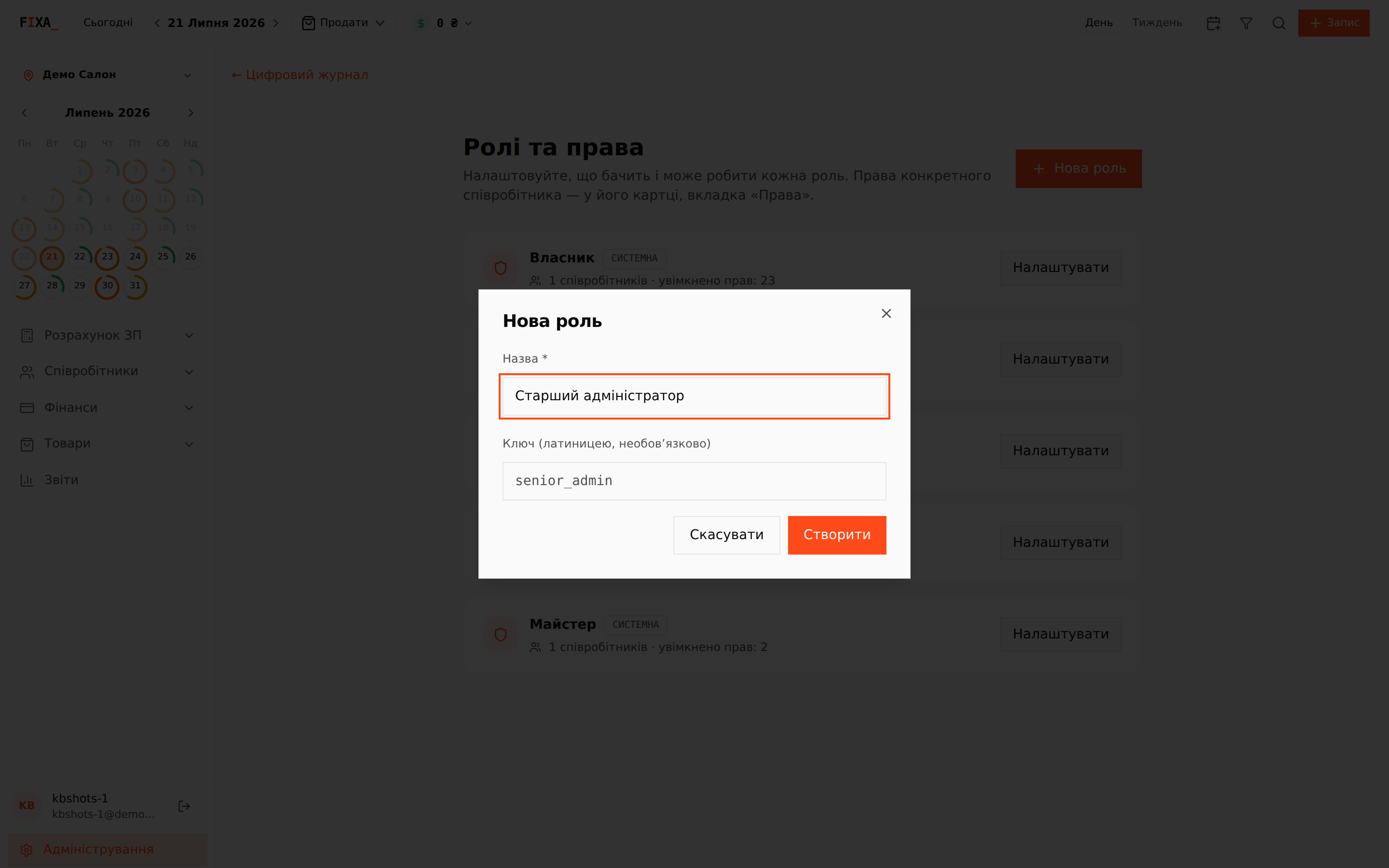
Custom roles
Need more than the presets? Create your own: "New role", a name and (optionally) a Latin key. Then enable rights exactly like in a system role.
Tip: if the role name is not in Latin script, type the Latin key manually — e.g.
senior_admin.
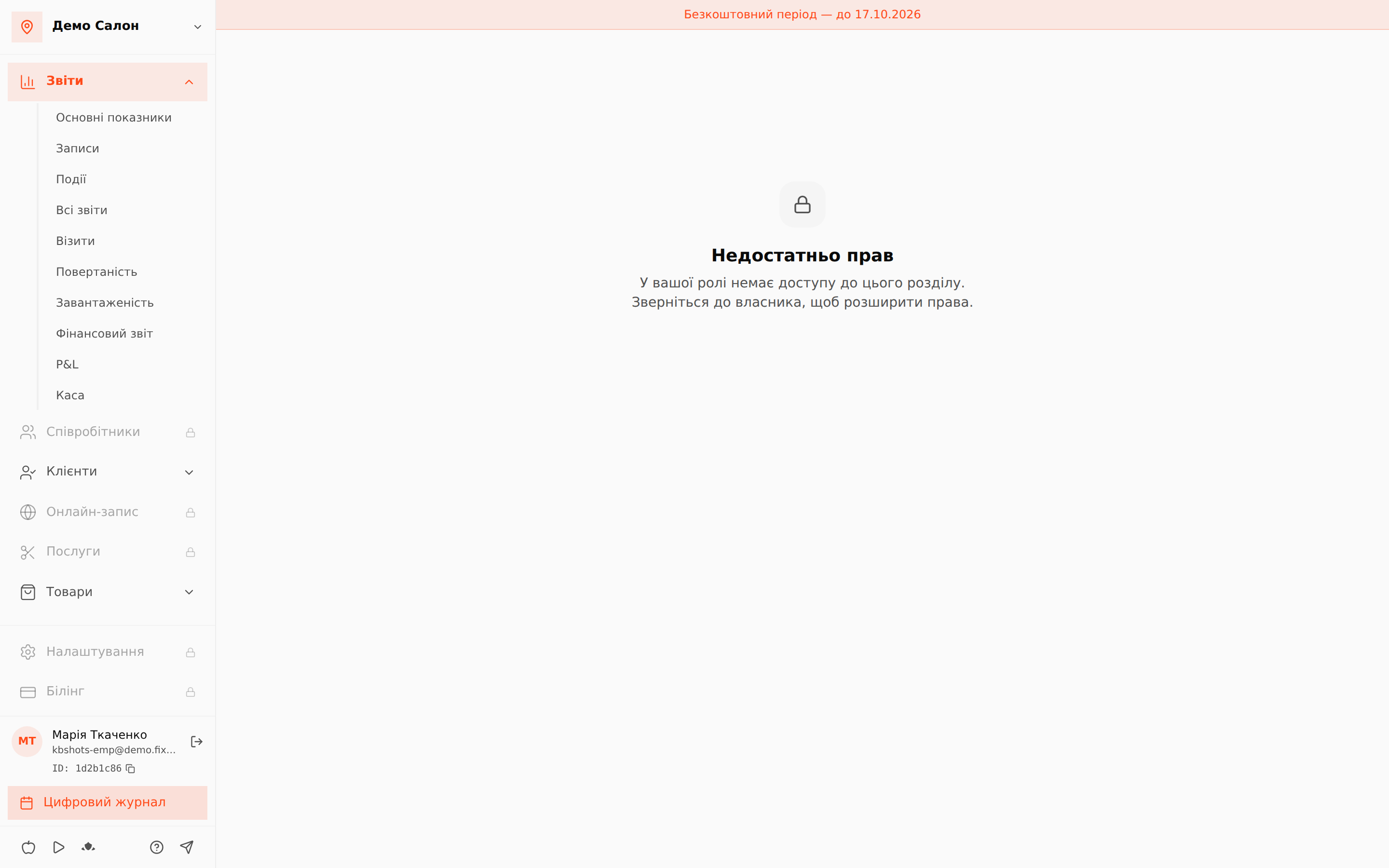
What a member without a right sees
FIXA hides nothing silently. Sections you lack stay in the menu with a lock icon, and opening one shows an honest "Not enough rights" page suggesting to contact the owner.
Specialist: a personal cabinet
The Specialist role with "own schedule and appointments only" opens a personal employee cabinet — my schedule, my appointments, my payroll — instead of the admin area. See the employee invitation article.
Mistake-proofing
You cannot lock yourself out: FIXA will refuse to strip the last owner of rights or change their role. Role changes are saved by the owner — for anyone else the controls are visibly disabled with an explanation.
Rights of a specific person
A role is a template. When one person needs individual deviations, use their card's "Rights" tab: see "Individual employee rights".