How to add specialists and positions
Specialists appear in the journal, in the specialist picker when creating an appointment, and in the online booking widget.
Add an employee
- Open “Співробітники → Список” (Employees → List).
- Click the add button — the “Додати співробітника” (Add employee) dialog opens.
- Enter the name.
- In the “Спеціалізація” (Specialization) field pick a position. If the one you need is missing — choose “+ Нова посада…” (+ New position…), enter the new position name and click “Створити” (Create).
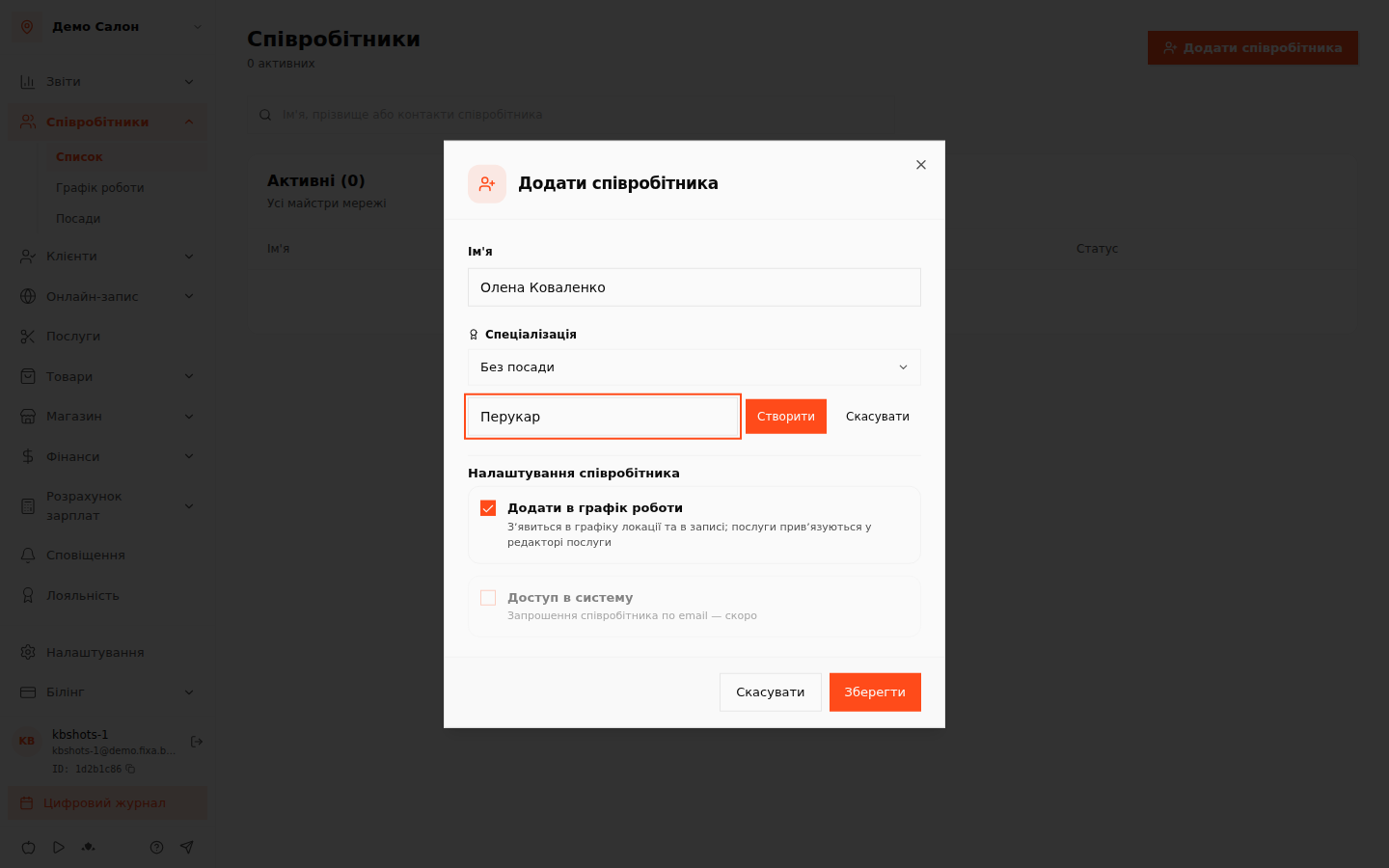 5. Keep the “Додати в графік роботи” (Add to work schedule) checkbox on — the employee will immediately appear in the location schedule and in the specialist picker for appointments. If it is not a specialist (for example, an administrator without their own appointments) — turn the checkbox off.
6. Click “Зберегти” (Save).
5. Keep the “Додати в графік роботи” (Add to work schedule) checkbox on — the employee will immediately appear in the location schedule and in the specialist picker for appointments. If it is not a specialist (for example, an administrator without their own appointments) — turn the checkbox off.
6. Click “Зберегти” (Save).
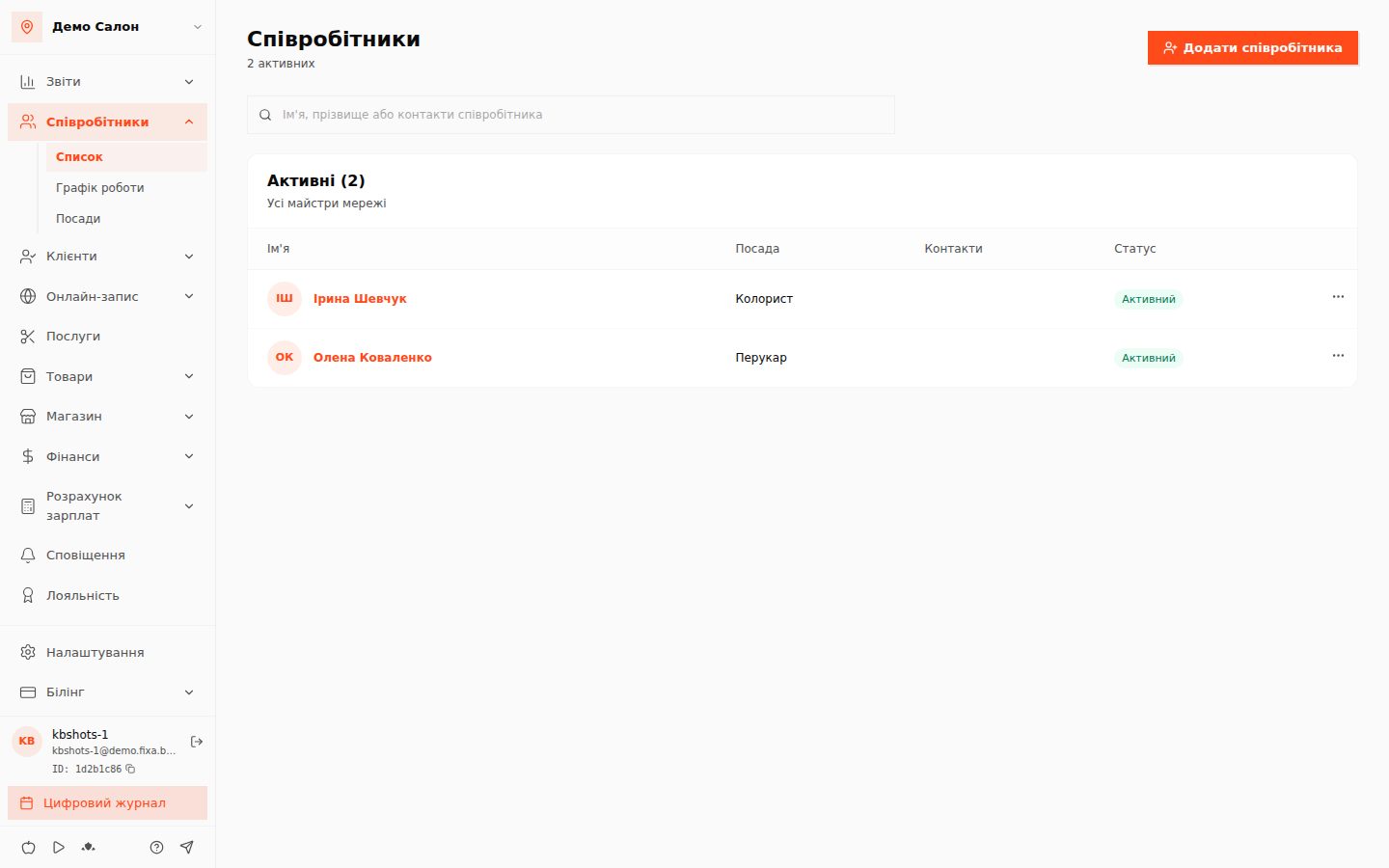
💡 Tip: positions are more than a label. A position drives the service price (prices by position) and salary schemes. Manage positions in “Співробітники → Посади” (Employees → Positions).
After adding
- Set the specialist's work schedule — without a schedule, online booking will not show their slots.
- Assign the specialist to services they perform.
FAQ
Can an employee sign in to the system? Inviting an employee by email is coming soon — for now appointments are managed by the owner and administrators from the owner's account.