Digital journal overview
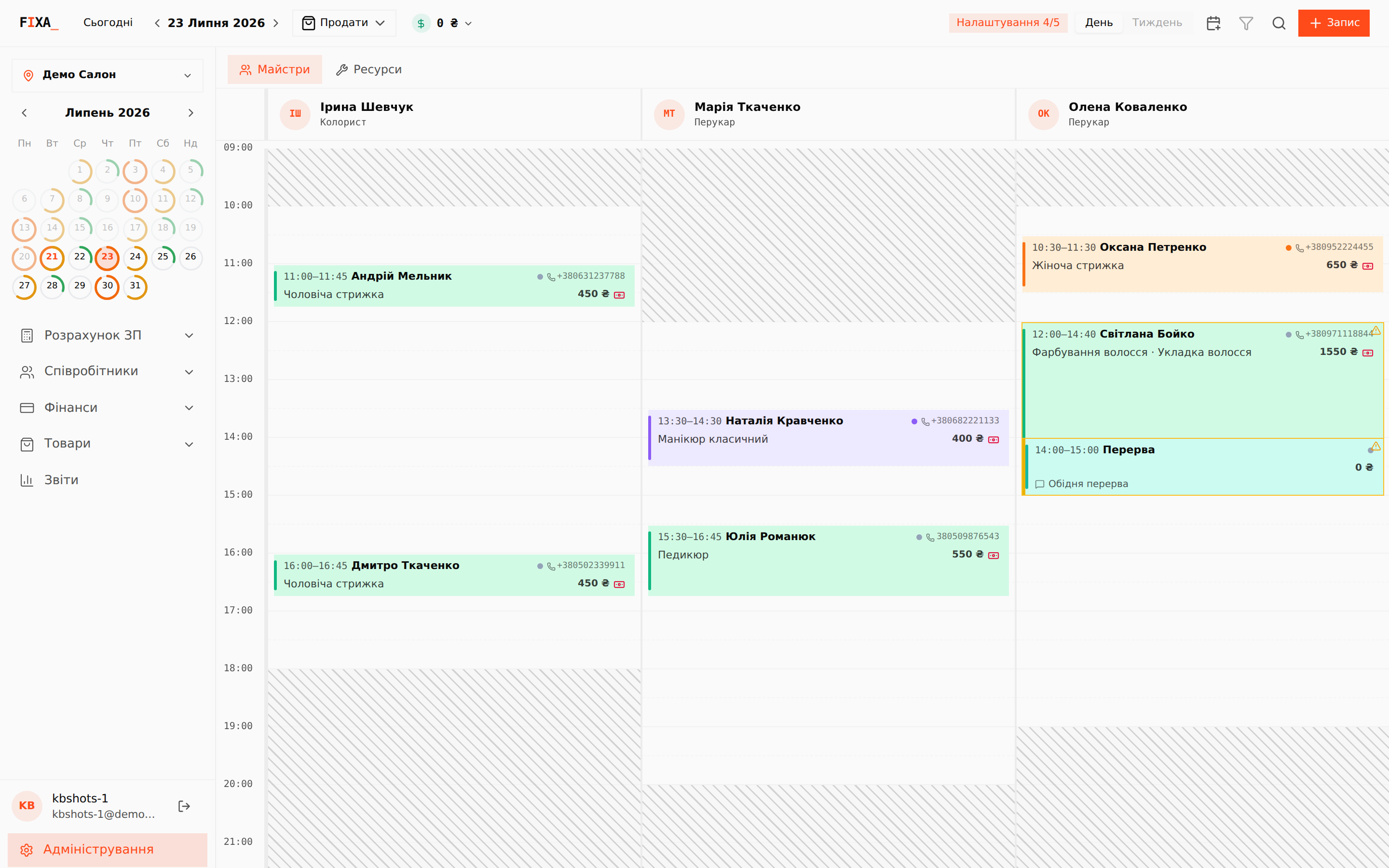
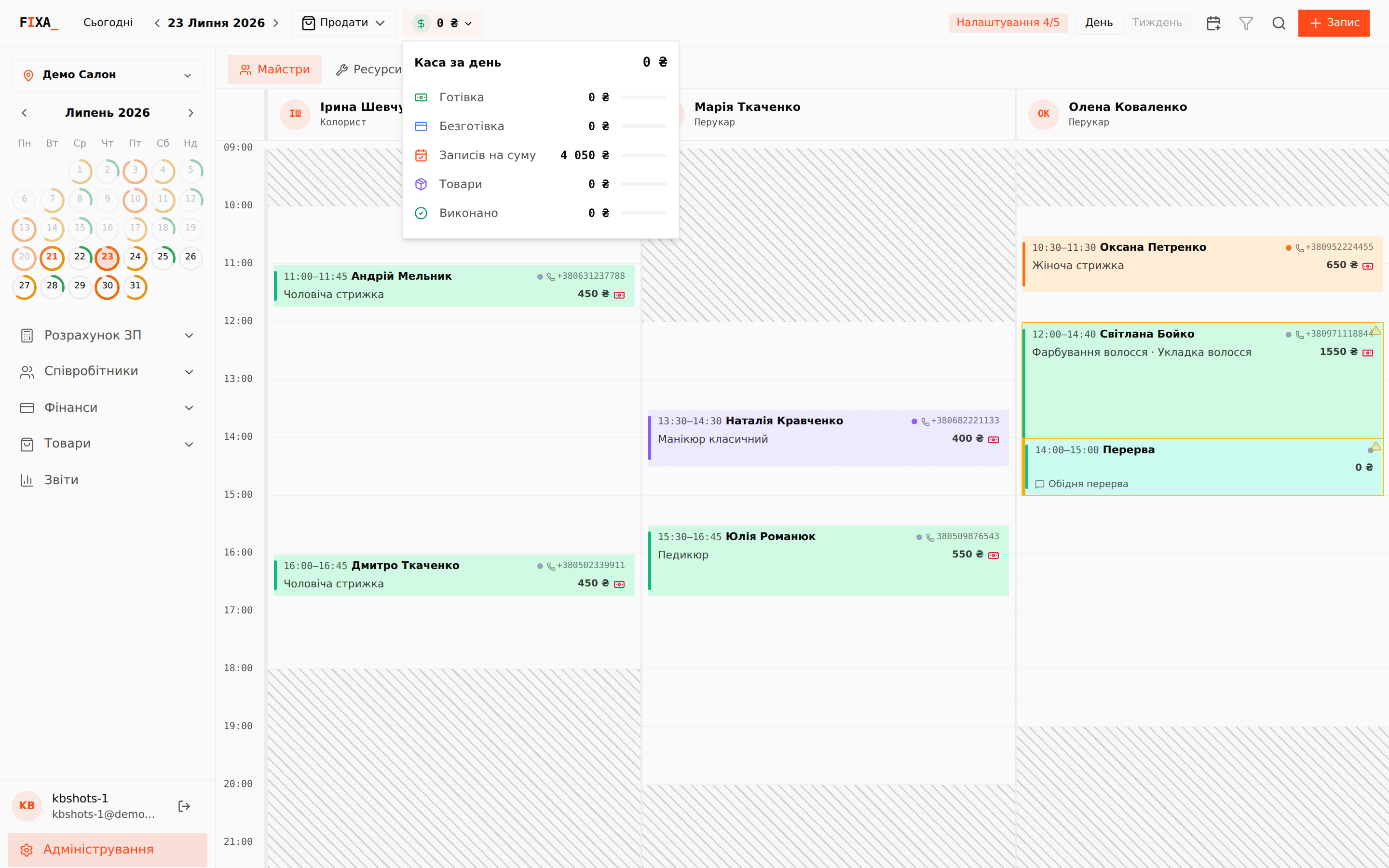
The digital journal is the FIXA home screen. It is a day grid that collects appointments from every source: created by the receptionist, from the online booking widget and from the Telegram bot. Everyone working with the journal sees the up-to-date picture.
What is on the screen
- Header: the “Сьогодні” (Today) button, arrows to flip through days, the date (click opens a mini-calendar), “Продати” (Sell) for a product sale without an appointment, the daily till indicator, the “День / Тиждень” (Day / Week) switch, client search and the “+ Запис” (New appointment) button.
- Left panel: location selector, a month mini-calendar (the ring around a day hints how full the schedule is) and the administration sections.
- Grid: one column per staff member working that day. Hatched areas are outside the working schedule. An appointment card shows the time, client name, phone, services and total; overlapping appointments get a yellow warning frame.
The “Masters / Resources” switch
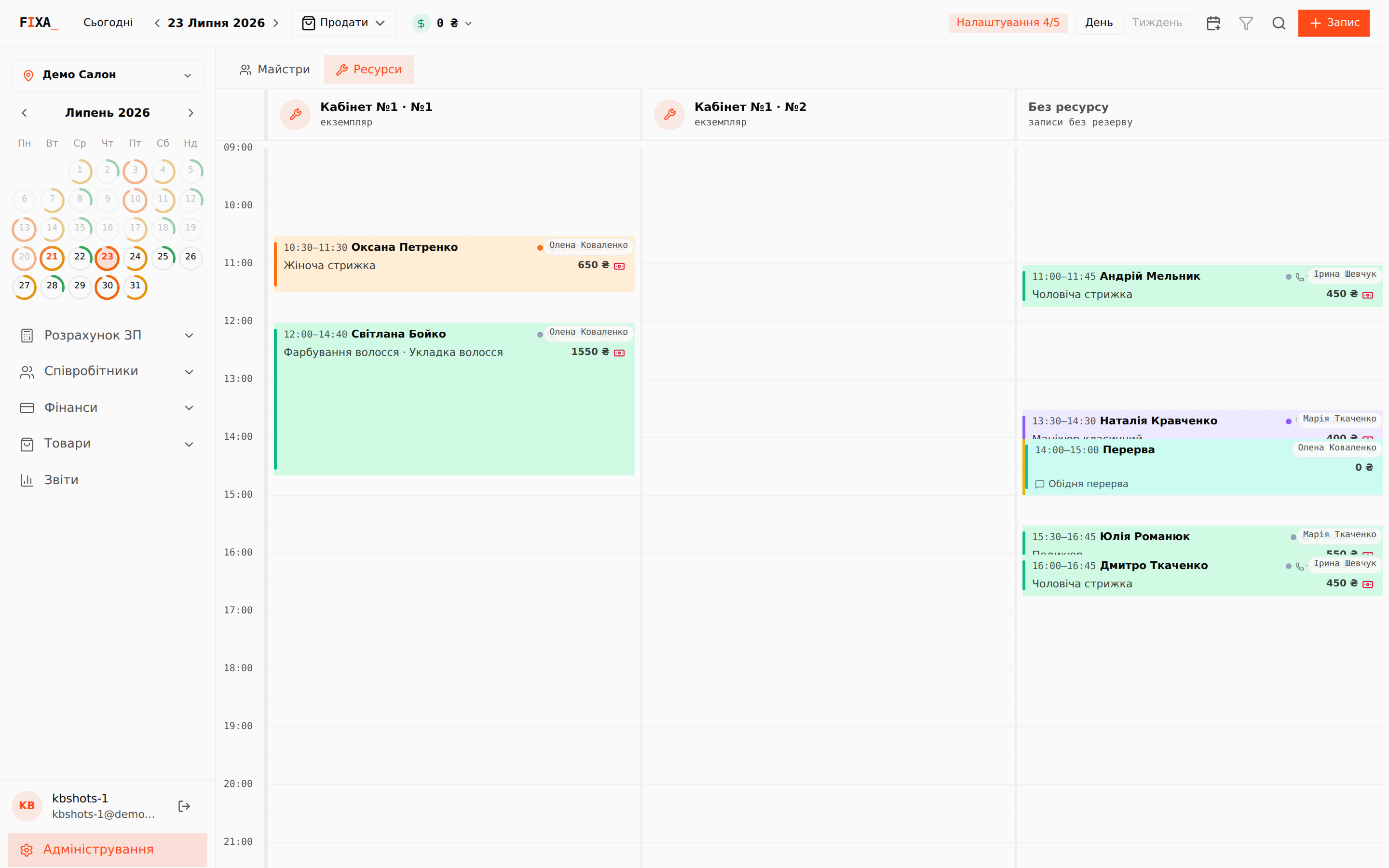
Above the grid there is a view switch. “Майстри” (Masters) is the usual mode with a column per specialist. “Ресурси” (Resources) shows a column per room or piece of equipment: you see what occupies each resource, while appointments without a resource booking gather in the “Без ресурсу” (No resource) column.
Navigating dates
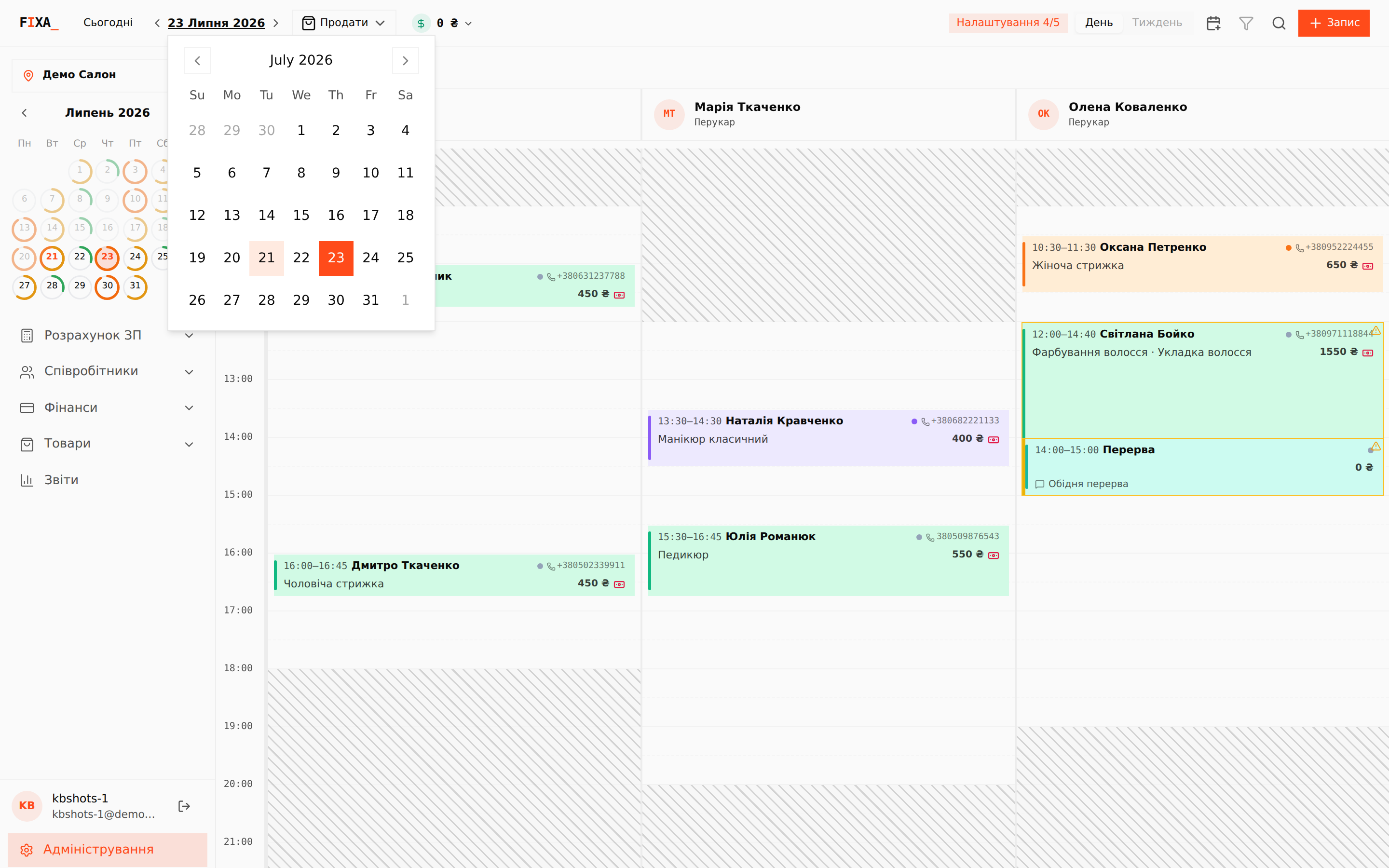
Arrows flip days one by one, “Сьогодні” returns to the current date, and clicking the date in the header opens a mini-calendar to jump to any day.
The selected date, location and view are kept in the page address — send the link to a colleague and they will land on the same day.
The daily till
The ₴ indicator in the header shows the day's revenue. Click it for the details: cash, cashless, appointments total, products and completed. Figures are calculated for the selected location.
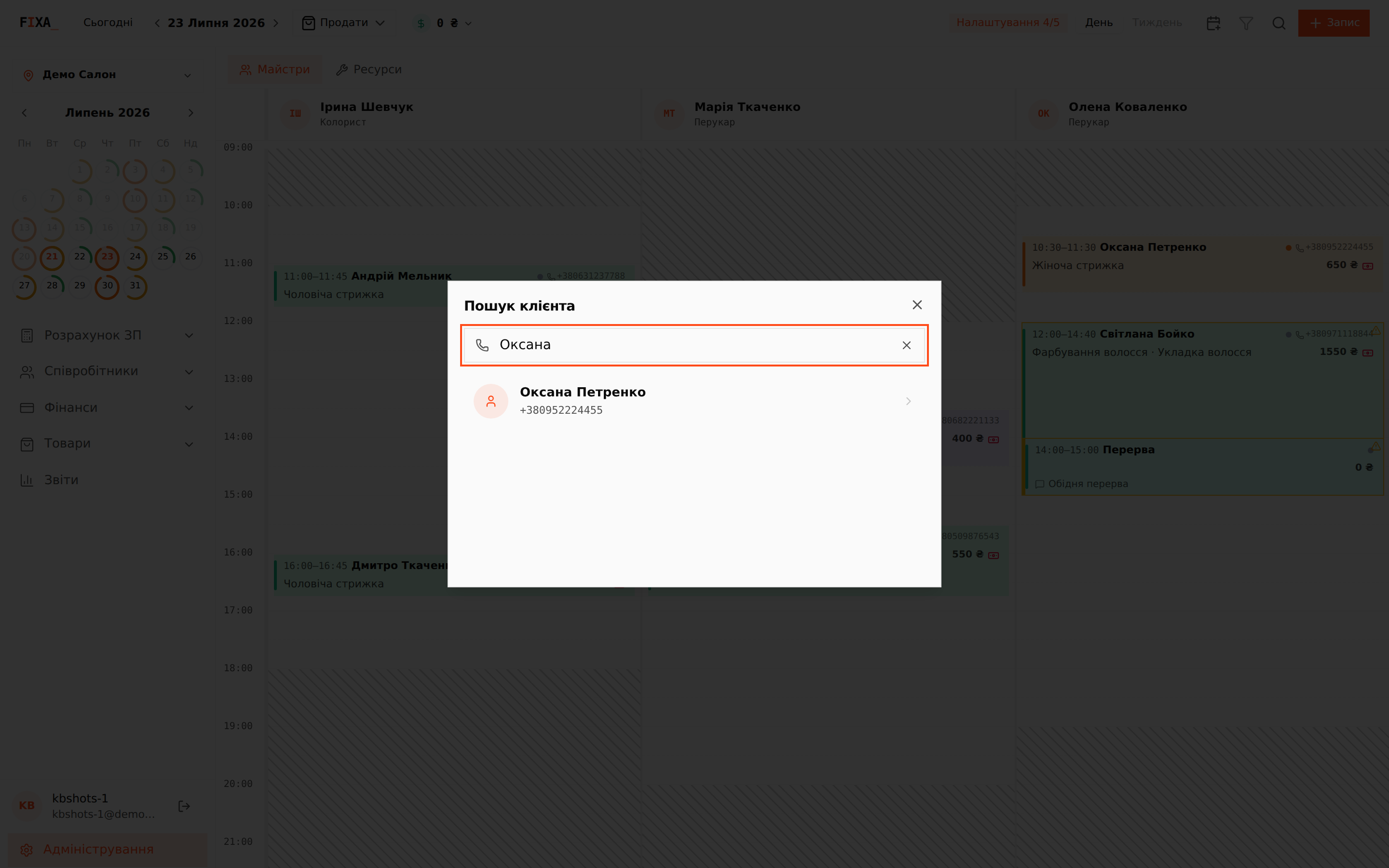
Client search
The magnifier icon opens a search across your client base: type a name or phone number (3+ characters) and expand the found client.