Quick start: from registration to the first appointment
This route takes you from an empty account to a working salon. Each step is a separate detailed article.
The setup route
- Register your salon — account, email, business name, address and business working hours.
- Add services and prices — categories, duration, base price and prices by position.
- Add specialists and positions — the team appears in the journal and in appointments.
- Set up work schedules — so online booking shows free slots exactly within working hours.
- Assign specialists to services — without this the client won't see the specialist in the widget.
- Create the online booking link — and share it on Instagram or send it to clients.
- Create the first appointment — manually in the journal, and when the visit is done — take the payment.
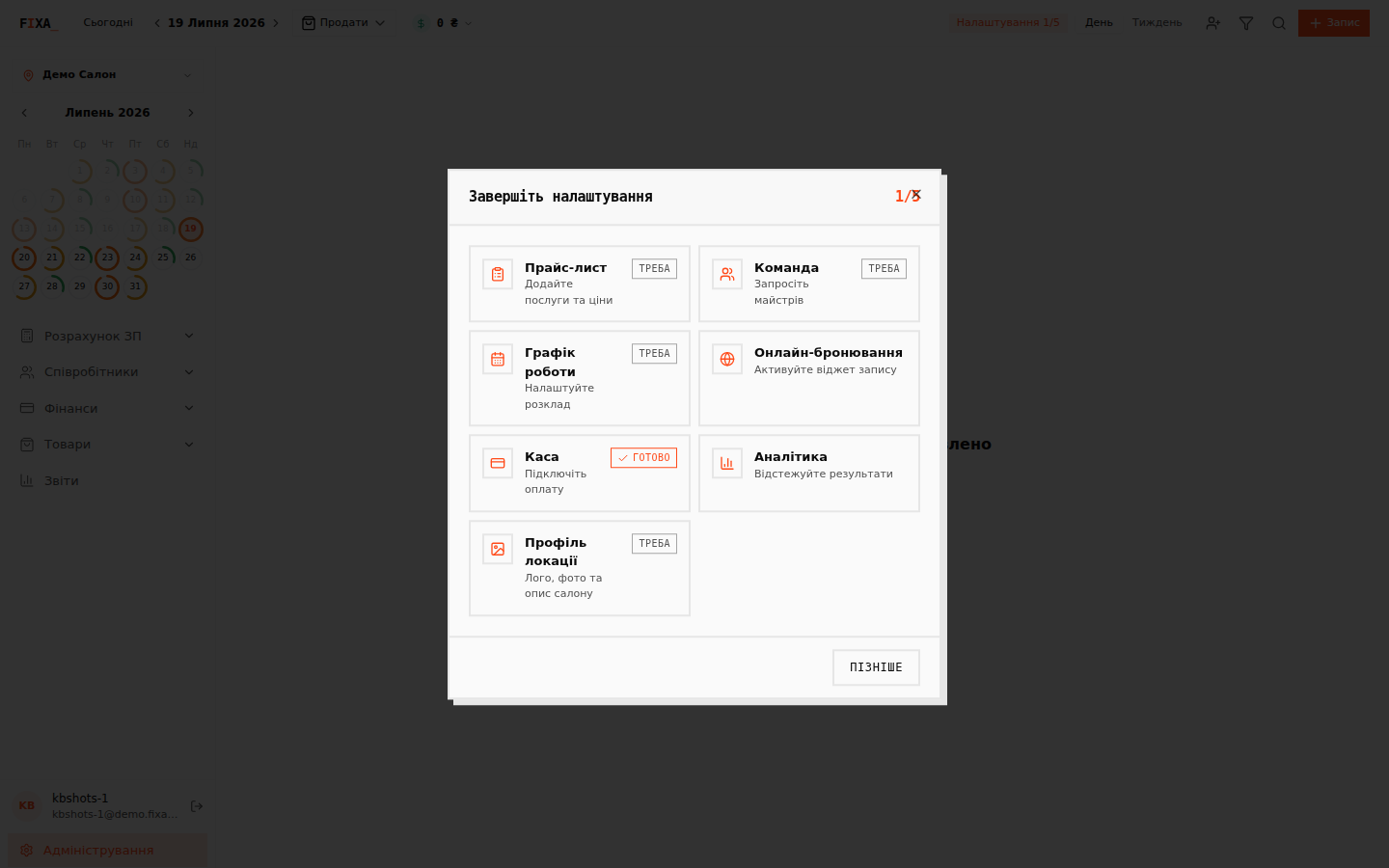
💡 Tip: the panel has a built-in “Finish setup” checklist — it shows what is not done yet and leads straight to the right page.
What's next
- Add products and inventory — the “Товари” (Products) section.
- Check the “Звіти” (Reports) section: daily cash and the financial report start working from the very first operation.